
How to Unlock Android Phone When It's Carrier-Locked: Complete Guide
If you’re planning to use your Android phone on an upcoming trip, it’s worth checking whether it’s unlocked. Here’s how to unlock your Android phone.
Planning a trip with your Android phone? First, make sure it’s unlocked. Here’s a guide on how to unlock your device.
If you own a carrier-locked Android phone, it’s worth considering unlocking it. A locked device restricts your freedom to switch networks, often leaving you stuck with higher rates or fewer plan options. By learning how to unlock Android phone, you gain the flexibility to choose the carrier that best fits your needs, enjoy potential savings on your monthly bill, and use local eSIMs or SIM cards when traveling abroad, which is a more cost-effective option.
Now, here's the good news - unlocking your phone is completely legal, and in many cases, carriers will do it for free once you meet their eligibility requirements.
In this guide, we’ll walk you through everything you need to know: how to check if your Android phone is locked, the step-by-step process to unlock it, and extra tips to make the most of your device once it’s free from restrictions. After learning how to unlock your phone, you can start using a Jetpac eSIM to enjoy seamless connectivity.
How to Check if Android Phone Is Carrier-Locked
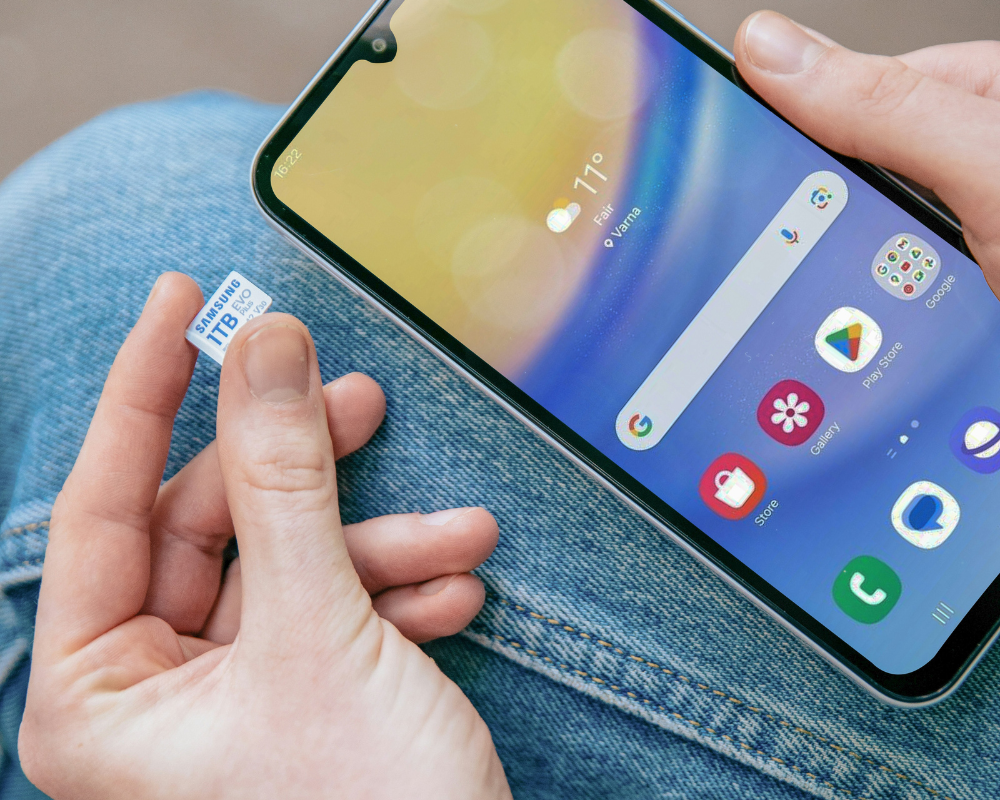
So, how to check if Android phone is unlocked? The easiest way to check is to insert a different SIM card into your phone. This is the simplest real-world test: if your device connects to the new network without issues, then it is likely unlocked.
However, if it displays an error or asks for an unlock code, then that means the phone is still locked to its original carrier. This quick step is often the first answer people look for when asking “how to know if my Android phone is unlocked."
Another method of checking is through your phone’s settings. Head to Settings > Connections (or Network) > Network operators. If you see multiple carriers listed and can switch between them, your device is probably unlocked.
On the other hand, if only one network appears, chances are your phone is locked. This built-in option is especially helpful if you want a fast, no-cost way to confirm before moving on to how to unlock Android phone.
For absolute certainty, call your carrier directly. By providing your IMEI number (a unique identifier for your device), they can confirm whether your phone is locked or unlocked. This is often the most reliable method since the answer will come straight from the source.
Another option is to check using IMEI-based tools. Simply dial *#06# on your phone to display your IMEI number, then use trusted online databases to verify the status of your device. When you opt for this route, stick to reputable services to avoid scams or inaccurate results.
Important Things to Know About Unlocked Android Phones
An unlocked Android phone is a device that isn’t tied to a specific carrier. This means you’re free to insert any compatible SIM card and use it with the network of your choice. That translates to greater control for everyday use, allowing you to easily switch providers without penalty, shop around for better data plans, or use a local eSIM or SIM card when you travel abroad, which is a great way to avoid expensive roaming fees. Many newer models are Android phones with eSIM, making it even easier to switch carriers digitally without dealing with those tiny physical SIM cards.
In addition, having an unlocked phone allows you to take advantage of promotions from different networks, which saves you money in the long run.
Should you decide to upgrade in the future and sell your phone, having an unlocked phone can greatly benefit you. These phones often have a higher resale value and appeal to more buyers who do not want to be restricted to a single carrier.
That said, there are a few things to keep in mind. Not all unlocked phones work seamlessly with every carrier’s technology or frequency bands, so compatibility checks are important before making the switch. Some features, such as Wi-Fi calling or visual voicemail, may not always work outside the original carrier.
If you’re wondering how to unlock my Android phone or simply how to check if Android phone is unlocked, the process is usually pretty straightforward. In many cases, it's free if you’ve met your carrier’s eligibility requirements.

When Are You Allowed to Unlock a Carrier-Restricted Phone?
Carriers don’t allow unlocking at any time. There are certain conditions you must meet before your request is approved. In most cases, you must pay off the device in full or complete the minimum contract period tied to your plan. This ensures the carrier has recovered the cost of the phone before releasing it for use on other networks.
Some carriers also impose a waiting period, often ranging from 30 to 60 days after activation, before you can submit an unlock request. These rules vary, so it’s always best to check your provider’s specific policy.
There are also exceptions. For instance, active-duty military members may qualify for immediate unlocking, and frequent travelers may sometimes request early unlocking to use local eSIMs or SIM cards abroad.
So if you’re wondering how to unlock Android phone, the first step is making sure you meet these eligibility requirements. Once you do, your carrier is legally obligated in many regions to unlock the device upon request.
What Are Factory-Unlocked Android Phones?
A factory-unlocked Android phone is a device that comes unlocked straight from the manufacturer. Unlike a carrier-unlocked phone, which starts off restricted to one network and later gets unlocked, a factory-unlocked phone has no ties to any carrier from day one. This means you can use it with virtually any compatible eSIM or SIM card worldwide without needing special requests or codes. When using Android phones with eSIM, you can enjoy the convenience of activating a plan digitally without swapping physical cards.
The benefits are big: you can insert a local SIM card when traveling abroad, switch carriers whenever you find a better deal, and avoid the restrictions or bloatware that often come with carrier-locked devices. Over time, this flexibility often translates to long-term savings, since you’re free to shop around for the most affordable plans.
If you’re wondering how to unlock my Android phone, it’s worth knowing that with a factory-unlocked model, you don’t need to go through the unlocking process at all. It is ready for use right out of the box, even when outside your home country.
Unlocking Rules: Legal and Warranty Aspects You Should Know
Many people still wonder if unlocking a phone is “against the rules,” but the truth is that official unlocking is completely legal in most regions. In the U.S., for instance, the FCC requires carriers to unlock eligible devices upon request, and in the EU, consumer protection laws ensure that you have the right to use your phone with different networks once your contract terms are met.
That said, it’s important to understand the difference between official carrier unlocking and third-party unlocking services. While your carrier’s method is safe, recognized, and preserves your warranty, third-party unlocks can be risky. In some cases, they may void your warranty or cause issues with software updates.
When it comes to the question of “how to unlock Android phone”, the safest path is always to go through your carrier or buy a factory-unlocked device from the start. This way, you enjoy full legal protection, keep your warranty intact, and avoid any unpleasant surprises down the road.
Carrier Unlock: The Official Way
If you’re searching for how to unlock my Android phone, the official carrier method is the most secure and reliable option. Carriers provide clear steps to unlock eligible devices, whether you’re using a traditional SIM card or newer Android phones with eSIM.
Below, we’ll break down the different ways this process works, from checking eligibility to requesting the unlock and completing the final steps on your phone.
Check Eligibility
Before your carrier approves an unlock request, your phone must meet certain requirements. Typically, the device needs to be fully paid off, with no remaining balance on your installment plan. It also must not be reported lost, stolen, or flagged for fraud.
In addition, most carriers require you to have completed a minimum contract period or a set number of days of active use on their network, which can range from a few weeks to several months, depending on the provider.
Request Unlock from Carrier
Once you’ve confirmed eligibility, the next step is to submit your unlock request. Most carriers provide multiple options: you can use their official online unlock portal, call customer support, or sometimes even process the request directly through the carrier’s mobile app.
When sending a request, you typically need to provide your phone’s IMEI number along with some basic account details to verify ownership. After submission, the carrier will review your request and notify you once the unlock has been approved.
Enter Unlock Code or Follow Prompt
After your carrier approves the request, you’ll receive instructions to finish the process. For devices that use a physical SIM, this usually means inserting a SIM card from another carrier. When prompted, enter the unique unlock code from your carrier. For newer models, especially Android phones with eSIM, you may simply follow the on-screen instructions to complete the unlock digitally. There’s no need to enter any code. Once done, your phone is officially unlocked and ready to use on any compatible network.

Using Third-Party Unlock Services—Proceed with Caution
While you might come across plenty of websites and shops that claim they can unlock your phone, using third-party unlock services is generally not recommended. The safest and most reliable option is always through your carrier. Only consider third-party solutions if your carrier refuses to unlock your device and you’ve exhausted official options.
But take note that there are real risks involved. Some services may not be legitimate, and you could end up paying for a code that doesn’t work. Or worse, falling victim to a scam. Even when the service is genuine, unofficial unlocking methods can sometimes cause problems with software updates, security, or even void your warranty.
If you absolutely must go this route, take precautions. Research thoroughly, choose only well-known and reputable providers, and verify user reviews before making a payment. Remember, when looking into how to unlock my Android phone, the official carrier method is always the safest path.
Troubleshooting Unlock Issues
Even after completing the unlock process, you might still run into a few hiccups. One of the most common problems is the “SIM not supported” error. If this happens, verify that your phone is actually compatible with the new carrier’s network bands and technology. Being unlocked doesn’t always mean universal compatibility.
Another issue could be that the phone is blacklisted. Devices reported as lost, stolen, or tied to unpaid bills may appear on carrier blacklists, which prevent them from being activated on other networks. You can confirm this by running an IMEI check through your carrier or a trusted online tool.
Finally, if you’re asked to enter an unlock code, make sure the IMEI number you provided during the request was entered correctly. Even a small error can cause your unlock code to fail.
When understanding how to unlock my Android phone, it’s just as important to know how to troubleshoot issues as it is to understand the initial process. Taking these steps will help ensure your device works smoothly once it’s unlocked.
How to Prevent Your Android Phone from Getting Carrier-Locked Again
The easiest way to avoid dealing with carrier locks in the future is to buy officially unlocked devices whenever possible. These phones come ready to use with any compatible network, eliminating the need for future unlocking.
Before signing a new contract or upgrading your device, always double-check your carrier’s terms. Some plans or promotions may temporarily lock your phone until certain requirements are met, such as completing a payment plan or minimum service period. Being aware of these conditions helps you avoid surprises down the line.
Finally, if you plan to switch networks, use IMEI checks to confirm your phone’s unlock status before making the move. That way, you will know if your device is truly unlocked and compatible with your new carrier, saving time, money, and frustration.

Do You Need an Unlocked Phone for eSIM? Here’s Why Jetpac Says
If you’re wondering whether you need an unlocked phone for eSIM, the short answer is: most eSIMs require an unlocked device to function properly. While a few carriers may allow eSIM activation on locked phones, these exceptions are rare. Using an unlocked device is highly recommended, as it ensures you won’t run into network restrictions or compatibility issues.
Unlocking your phone makes eSIM setup seamless. It allows you to switch carriers digitally, travel internationally without the hassle of swapping physical SIMs, and enjoy full control over your mobile service. When it comes to finding the best eSIM for travel, Jetpac is highly recommended. Jetpac eSIMs offer hassle-free setup and reliable service at very reasonable prices.
Ready to get started? After unlocking your phone, grab a Jetpac eSIM and start using your Android device, and enjoy uninterrupted internet access wherever your adventures take you.
FAQs
How to unlock Android phone?
To unlock an Android phone, the safest method is through your carrier. First, ensure your device meets eligibility requirements, such as being fully paid off, active on the network for the required period, and not reported lost or stolen. Then, submit an unlock request via your carrier’s website, customer support, or mobile app. Once approved, insert a SIM from a different carrier and follow the on-screen instructions or enter the unlock code if provided.
Can I unlock my Android phone myself?
Yes, in many cases you can unlock your Android phone yourself. However, it usually depends on your carrier and device type. If your phone is eligible, carriers often provide online portals or in-phone prompts to complete the unlock. For newer models with eSIM, the process can sometimes be done entirely digitally without a physical SIM card.
What to do if an Android phone is locked?
If your Android phone is locked to a carrier, the safest approach is to check if it’s eligible for an official unlock. Verify that the device is fully paid off, active on the network for the required period, and not reported lost or stolen. Next, contact your carrier or use their online portal to request the unlock. Once approved, insert a SIM from a different carrier and follow the on-screen instructions. For phones with eSIM, the unlock can be completed digitally without swapping a physical SIM.
What is the master code to unlock a phone?
There isn’t a universal “master code” that works for all phones. Unlock codes are unique to each device, usually generated based on its IMEI number. Using a generic or unofficial master code can damage your phone or cause it to be permanently locked. The safest way to unlock your device is through your carrier or, for newer devices, via official digital methods. Always avoid random online “master codes,” as they are often scams.
Can you unlock an Android without a factory reset?
Yes! Unlocking an Android phone, whether through your carrier or a legitimate unlock service, does not require a factory reset. The process only removes the carrier restriction, allowing you to use other networks, and your apps, photos, and personal data remain intact. That said, some network changes or SIM swaps may prompt minor system updates, but your data won’t be erased.
How to unlock Android phone from Metro to Boost Mobile?
To unlock a Metro Android phone for use on Boost Mobile, your device must first meet Metro’s eligibility requirements: it must be fully paid off, active on Metro’s network for at least 180 days, and not reported lost or stolen. Once eligible, contact Metro customer support to request the unlock. After approval, insert the Boost Mobile SIM and follow any on-screen prompts to complete the setup.
How to unlock SIM on Verizon Android phone?
Most Verizon Android phones are automatically unlocked for domestic use after 60 days of activation. To check, simply insert a SIM from another carrier. If it works, your phone is already unlocked. If not, make sure your device meets eligibility requirements (active for at least 60 days, no outstanding balance, not reported lost or stolen) and contact Verizon customer support with your IMEI number to request a manual unlock. Once approved, insert the new SIM and follow any on-screen prompts.
Will unlocking erase my data?
No, unlocking your phone will not erase your data. The carrier unlock process simply removes the restriction that ties your device to one network, but it doesn’t affect your apps, photos, or files. That said, if you’re switching carriers, you may need to update network settings or insert a new SIM card, but your personal data will remain intact.
How long does carrier unlocking take?
The timeline can vary depending on your carrier. In many cases, once you meet the eligibility requirements and submit your request, the unlock is processed within a few business days. Sometimes, as quickly as 24 hours. However, some carriers may take up to a week or longer, especially if additional verification is needed.


