iPhone eSIM Compatibility Guide 2025
Discover which iPhone models support eSIM technology in 2025. Dive into our setup guide, troubleshooting tips, and travel connectivity solutions for iPhone series.
Discover which iPhone models support eSIM technology in 2025. Dive into our setup guide, troubleshooting tips, and travel connectivity solutions for iPhone series.
Remember the frustration of fumbling with SIM card trays at the airport or panicking when you couldn't find that tiny ejector pin? Those days are behind us. For iPhone users ready to embrace effortless global connectivity, mastering iPhone eSIM technology is your ticket to worry-free international travel.
However, the features and setup processes have evolved significantly across different iPhone models, and understanding these nuances can make or break your travel experience.
This detailed guide covers everything iPhone users need to know about eSIM technology, from device compatibility to advanced setup techniques, ensuring you're equipped for seamless connectivity wherever your journeys take you.

iPhone eSIM Technology Explained: The Digital Revolution
Demystifying eSIM for iPhone Users
An eSIM (embedded Subscriber Identity Module) represents a fundamental shift from traditional connectivity. Rather than relying on removable plastic cards, your iPhone contains a programmable chip that can store multiple carrier profiles digitally.
Picture having the ability to switch between different mobile networks without ever opening your phone case or handling delicate hardware components. That's the power of iPhone eSIM technology.
iPhone's eSIM Implementation
iPhone eSIM functionality integrates seamlessly with iOS, offering an intuitive interface for managing multiple carrier profiles. When your iPhone supports eSIM, you can set up eSIM profiles from just about anywhere and juggle multiple phone numbers or data plans simultaneously.
This technology particularly shines for international travelers who need to balance maintaining their primary communication line while accessing affordable local data services.
Travel eSIM Advantages for iPhone Users
The transformative aspect of iPhone eSIM lies in its usefulness for travelers. You can grab an eSIM before you depart, while maintaining your phone number for apps such as WhatsApp. Plus, you can skip the hassle of hunting for local carrier SIMs entirely.
With Jetpac eSIM, you’ll also get free lounge access with every data pack and free WhatsApp and Google Maps with packs worth 3 GB and above!
*Offer may change after publication.
iPhones with eSIM Compatibility List
Not every iPhone generation includes eSIM support, making it essential to verify your device's capabilities before planning your connectivity strategy. Apple's eSIM implementation has expanded progressively, with newer models offering enhanced dual-SIM functionality.
List of Compatible iPhones
iPhone XS and iPhone XS Max
iPhone XR
iPhone 11, iPhone 11 Pro, and iPhone 11 Pro Max
iPhone 12 mini, iPhone 12, iPhone 12 Pro, and iPhone 12 Pro Max
iPhone 13 mini, iPhone 13, iPhone 13 Pro, and iPhone 13 Pro Max
iPhone 14, iPhone 14 Plus, iPhone 14 Pro, and iPhone 14 Pro Max
iPhone 15, iPhone 15 Plus, iPhone 15 Pro, and iPhone 15 Pro Max
iPhone 16, iPhone 16 Plus, iPhone 16 Pro, iPhone 16 Pro Max
iPhone 16e
iPhone SE (2nd and 3rd generations)
These models offer the most robust eSIM management, fastest activation times, and broadest carrier compatibility. However, it’s important to note that some iPhones do not support eSIM depending on where they’re sold. For example, all iPhone variants sold in China, Hong Kong, and Macao do not support eSIM capabilities.
Verifying Your iPhone's eSIM Support
To confirm eSIM compatibility on your iPhone, go to Settings > Cellular and look for "Add Cellular Plan" or "Add eSIM" options. You can also check Settings > General > About and scroll down to find available eSIM identifiers.
Photo by Bagus Hernawan on Unsplash
iPhone eSIM Activation: Comprehensive Setup Instructions
Getting your iPhone's eSIM up and running is pretty simple. Apple gives you a few different ways to do it, so you can pick what works best for you.
Preparation Steps for Success
Get started by purchasing your eSIM plan from a reliable provider. Most travel eSIM services, including Jetpac, will send you a confirmation email alongside instructions and a personalized QR code. Ensure your iPhone has the latest iOS version and stable Wi-Fi connectivity before starting.
Installing your eSIM via QR code
Setting up your eSIM with a QR code is super easy, and it's Apple's go-to method. Just head to Settings > Cellular > Add Cellular Plan, then use your iPhone's camera to scan the QR code your eSIM provider sent you. Your phone will automatically grab all the details and start downloading your plan.
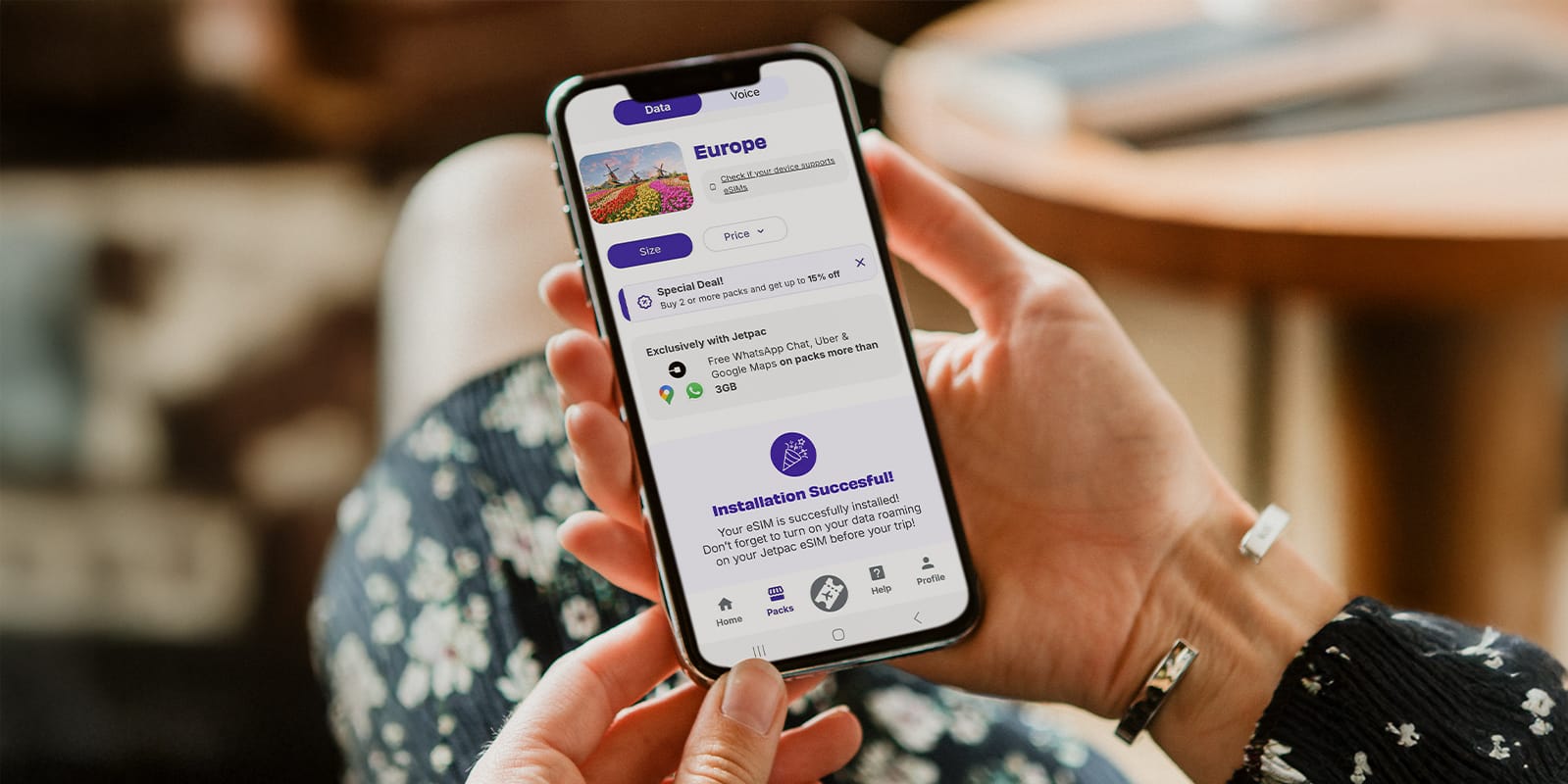
It usually takes just a couple of minutes, and you pretty much just confirm the installation, and you're good to go! If you’re downloading a Jetpac eSIM, you can check via the app to see if your eSIM has been installed and/or activated.
Installing your eSIM via Manual Configuration
If you can't get a QR code, no worries! You can still set up your eSIM manually. During the activation process, just pick "Enter Details Manually" and type in the SM-DP+ address and activation codes your carrier gave you. It's a tiny bit more complicated, but it works just as well.
Managing Multiple iPhone eSIM Profiles
Your iPhone also offers the ease of storing multiple carrier profiles simultaneously. You can have multiple eSIM profiles, so make sure to label them with the right destination or carrier name so you won’t get them mixed up. To manage saved profiles, including renaming and assigning their intended use (e.g., calls, messages, or data), navigate to Settings > Cellular.
And if you're a Jetpac user, we've made it even easier! Our app now has an eSIM wallet where you can manage all your different Jetpac eSIMs. You can instantly see which data packs are connected to each eSIM, too, so it gives you a good overview of all your Jetpac eSIMs.
iPhone eSIM Troubleshooting
Even after you’ve installed your eSIM, travelers can still hit a few bumps with setup or staying connected. But don't sweat too much—there are often easy fixes to your troubleshooting issues.
Activation Failure Solutions
If your iPhone eSIM fails to activate, first check your internet connection stability. Weak Wi-Fi signals can interrupt the carrier profile download process. Try switching to a different network or using cellular data for activation.
Additionally, confirm that your device isn't carrier-locked, as most carriers won’t allow you to install an eSIM from a different provider.
Network Selection Issues
When your iPhone doesn't automatically connect to available networks in your destination, you can manually select carriers through Settings > Cellular > [Your eSIM] > Network Selection. Disable "Automatic" and choose from the available operators.
Sometimes cycling Airplane Mode on and off can refresh network connections and resolve connectivity issues.
Data Connectivity Problems
If your eSIM activates successfully but data doesn't work, verify that cellular data and data roaming are enabled specifically for your travel eSIM. Navigate to Settings > Cellular and ensure your travel eSIM is selected for "Cellular Data." Don’t forget to turn on “Data Roaming” as well!
More Connection Difficulties
If you're using Jetpac eSIM and encounter persistent issues, our customer support team provides assistance through multiple channels, including WhatsApp and live chat. Want to try our fixes out first? You can check our eSIM Guide for more information on common issues like changing your IMSI and APN.

Photo by Eva Darron on Unsplash
How eSIMs Make Travel Easier
iPhone eSIM technology makes international travel super easy, turning what used to be a headache into a smooth ride.
Save on Your Travel Budget
Say goodbye to crazy international roaming charges. With eSIMs, you get clear pricing for your data. Instead of getting a shock when your home carrier's bill arrives, you can grab data packages that fit your travel plans perfectly.
Plus, with Jetpac eSIM, new users often get sweet deals, like $1 for 1 GB in most destinations. That's awesome value with no hidden fees or nasty surprises. You can also get extra-special perks with every data pack you buy, like free WhatsApp messaging, Uber, and Google Maps usage for packs worth 3 GB and above. If you run into a flight delay, you can also get free airport lounge access as long as you register 24 hours before your departure.
Convenience and Flexibility
Being able to get connected before you even leave means less stress when you land. You'll have instant access to maps, translation apps, and your communication tools. If you're hopping between countries, you can set up your grab a multi-country pack for your eSIM, making border crossings totally seamless.
Extra Security and Reliability
An iPhone securely stores eSIM profiles within its encrypted storage, safeguarded by the same security protocols that protect all personal data. In contrast to physical SIM cards, eSIMs are less susceptible to loss, theft, or damage during travel.
Stay Productive and Connected
Keeping your home number while using local data means you can use WhatsApp without having to change your number. Plus, if you’re traveling across multiple countries, a multi-country or regional data pack can keep you connected as you cross borders.
With Jetpac eSIM’s unlimited data packs, you can easily do things that use a lot of data, like video calls, syncing files to the cloud, and sharing on social media.
Photo by Ameen ALmayuf on Unsplash
Frequently Asked Questions About iPhone eSIM Compatibility
How do I know if my iPhone supports eSIMs?
Just head to Settings > Cellular and look for "Add Cellular Plan," or check Settings > General > About for an eSIM identifier (EID number). iPhones from the XS/XR generation onwards usually have eSIM support, but some features might be different depending on your model and where you bought it.
Can I have more than one eSIM on my iPhone?
Yep! Most iPhones with eSIM can store several carrier profiles – usually 8-10, depending on your model. You can only use 1-2 at the same time, though. You can manage your installed eSIMs in Settings, or if you have a bunch of Jetpac eSIMs, you can do it right in the Jetpac app.
Can I top up my eSIM?
It depends on your provider or carrier. With Jetpac eSIM, you only need 1 eSIM for 200+ destinations! You won’t have to remove your current eSIM or install a new one. Any new data packs you buy will be assigned directly to your eSIM, as long as you’re using the same login method linked to your account.
Are there places where iPhone eSIMs don't work?
eSIMs work in most countries with modern phone networks. But, a few places, like China, Macao, and Hong Kong, have rules that limit them on iPhones sold there, and compatibility can vary between carriers. It's always a good idea to double-check with your eSIM provider about coverage for where you're headed.
Are eSIMs better than traditional data or local SIM cards?
eSIM plans are usually pretty good value compared to international roaming. Although it might have a higher price tag, it’s more convenient than trying to hunt down local SIM cards, especially for short trips or if you're visiting multiple countries. You can also set up eSIMs before you depart, so all you need to do is turn on your eSIM and data roaming settings upon landing.
Photo by Jetpac eSIM
Transform Your Travels with Jetpac eSIM
Ready to supercharge your iPhone's eSIM? Ditch the travel connectivity worries and unreliable public Wi-Fi.
Jetpac eSIM has your back with awesome coverage in 200+ destinations. We've got everything from single-country plans to full-on Global eSIM packages. No more stressing about staying connected on your trips. Just effortless seamless connection wherever you go.
Whether it's a quick work trip in Europe or a big cross-continental trip across Southeast Asia, Jetpac eSIM plans are flexible and budget-friendly. You can get your eSIM activated before you even leave, and land with instant internet access. With our latest dual network access, you can switch networks as soon as your current one drops, so you won’t have to worry about network issues.
Every Jetpac eSIM purchase also gets you free airport lounge access if your flight's delayed. Plus, all packs worth 3 GB and above come with free WhatsApp chat and Google Maps, even if you run out of data.
Your next adventure is calling – make sure you're connected from the get-go with Jetpac eSIM.