
Does Apple Pay Work Internationally Without Fees?
Wondering does Apple Pay work internationally? Learn how to use Apple Pay abroad, possible fees, and tips to save on foreign transactions.
Planning to use Apple Pay while traveling abroad but not sure if it will work? In this blog, we’ll explore whether Apple Pay works internationally and if there are any fees to watch out for.
For frequent travelers, Apple Pay has become a go-to payment method thanks to its speed, security, and convenience. You can use it for grabbing coffee at a Paris café or paying for a taxi in Tokyo. Just tap your iPhone or Apple Watch and you're good to go! It’s much easier than dealing with foreign cash or juggling multiple cards. However, while Apple Pay is available in many countries worldwide, the question remains: Does Apple Pay operate internationally without incurring fees?
Many assume that using Apple Pay abroad is completely free, but that’s not always the case. Depending on your bank, card network, and the country you’re visiting, you could still face foreign transaction or currency conversion charges. Understanding how these fees work can help you make smarter, fee-free payments wherever your travels take you.
What Does ‘Internationally’ Mean for Apple Pay?
When people ask, “Does Apple Pay work internationally?” it’s important to understand what that really means. Apple Pay itself is not a bank or credit card. Instead, it’s a digital wallet that stores your existing cards securely on your device. That means Apple Pay simply mirrors whatever card you’ve added, whether it’s a debit card, credit card, or even an Apple Card.
Apple Cash, on the other hand, functions more like a peer-to-peer payment service and is currently limited to the United States. So, if you’re traveling abroad, you’ll be using your regular bank card through Apple Pay, but not Apple Cash or an Apple Card unless they’re supported in that country.
However, the ability to use Apple Pay overseas depends on local banks, payment networks, and compatible payment terminals. Even if a store accepts contactless payments, it must support your card’s network (like Visa or Mastercard) for the transaction to go through. This is also where fees can come in.
Apple Pay itself doesn’t add extra costs, but your bank or card issuer might, leading many travelers to ask, “Does Apple Pay charge foreign transaction fees?” The short answer: Apple doesn’t charge a fee. However, your bank might. So before leaving for your next trip, it’s best to check whether your card provider charges foreign transaction fees when used through Apple Pay.
Where Does Apple Pay Work Around the World?
If you’ve ever wondered, “Does Apple Pay work internationally? The answer is yes, mostly. Apple Pay is now accepted in dozens of countries and regions worldwide, making it one of the most convenient payment options for global travelers. You can use it confidently across major markets such as the United States, Canada, the United Kingdom, most of Europe, Australia, Japan, and parts of Asia, including Hong Kong, Singapore, and mainland China. In these places, Apple Pay works seamlessly with major banks and global card networks like Visa, Mastercard, and American Express.
That said, does Apple Pay work internationally everywhere? Not quite. Some countries in Africa, the Middle East, and South America still have limited or no Apple Pay support due to local banking regulations or a lack of compatible payment terminals. Even within supported regions, smaller banks may not yet participate, so it’s best to double-check before traveling.
Apple regularly updates its official list of supported countries and regions. To find out whether Apple Pay is available in your destination, visit Apple’s official list of Apple Pay countries and regions. This page shows which banks and card networks are supported in each location, helping you plan ahead and avoid any payment hiccups abroad.
Does Apple Pay Charge International Fees?
When it comes to using Apple Pay abroad, one of the most common questions travelers ask is: Does Apple Pay charge foreign transaction fees? The short answer is no. Apple itself doesn’t charge any fees for making international payments. However, your bank or card issuer might, depending on the type of card you’re using and the country where the transaction takes place.
Apple Pay acts as a secure digital wallet, simply passing your card details through to the payment network. So if your card normally applies foreign transaction fees, those charges still apply when you use it through Apple Pay. To avoid surprises, it’s best to check your card’s international fee policy before your trip.
Foreign Transaction Fees Explained
Foreign transaction fees are typically 1%–3% of the total purchase amount, added by your card issuer whenever you buy something in a foreign currency. Even though Apple Pay processes payments digitally, it doesn’t remove these fees. These depend entirely on your card’s terms and conditions. That’s why travelers often ask, Does Apple Pay charge foreign transaction fees? In reality, it’s the issuing bank that determines whether these charges apply.
Exchange Rates and Markups
When you pay abroad, your card network (Visa, Mastercard, etc.) automatically converts your home currency to the local one. While exchange rates are usually competitive, some banks add a markup on top of the conversion rate. This isn’t controlled by Apple Pay. It’s another fee set by your bank that can slightly increase the cost of each purchase.
Dynamic Currency Conversion (DCC): The Hidden Cost
Many international merchants offer to charge you in your home currency instead of the local one, a process called Dynamic Currency Conversion (DCC). It may seem convenient, but it usually comes with worse exchange rates and extra markups. To save money, always choose to be charged in the local currency when using Apple Pay abroad.
How to Use Apple Pay Abroad (Step-by-Step)
If you’re planning an overseas trip and wondering - Does Apple Pay work internationally? The good news is that it usually does, as long as your bank, card, and destination country support it. Follow these steps to make sure your payments go through smoothly:
1. Check if your card and country support Apple Pay
Before you travel, make sure both your bank and the destination country support Apple Pay. For example, if you’re visiting China and wondering, Does Apple Pay work in China? The answer depends on your card issuer and the local payment network. You can easily confirm availability by checking Apple’s official list of supported countries and regions.
2. Add your card to Apple Wallet before you travel.
Set up your Apple Pay in advance by adding your debit or credit card to your Apple Wallet. It’s easier to complete card verification, such as SMS or app approval, while you’re still in your home country. Once added, your card will be ready to use anywhere Apple Pay is accepted.
3. Test it locally before your trip
Make a small purchase at home to confirm everything works. This helps you avoid potential issues once you’re abroad and ensures your device is properly set up for international use.
3. Use contactless terminals and look for the symbol
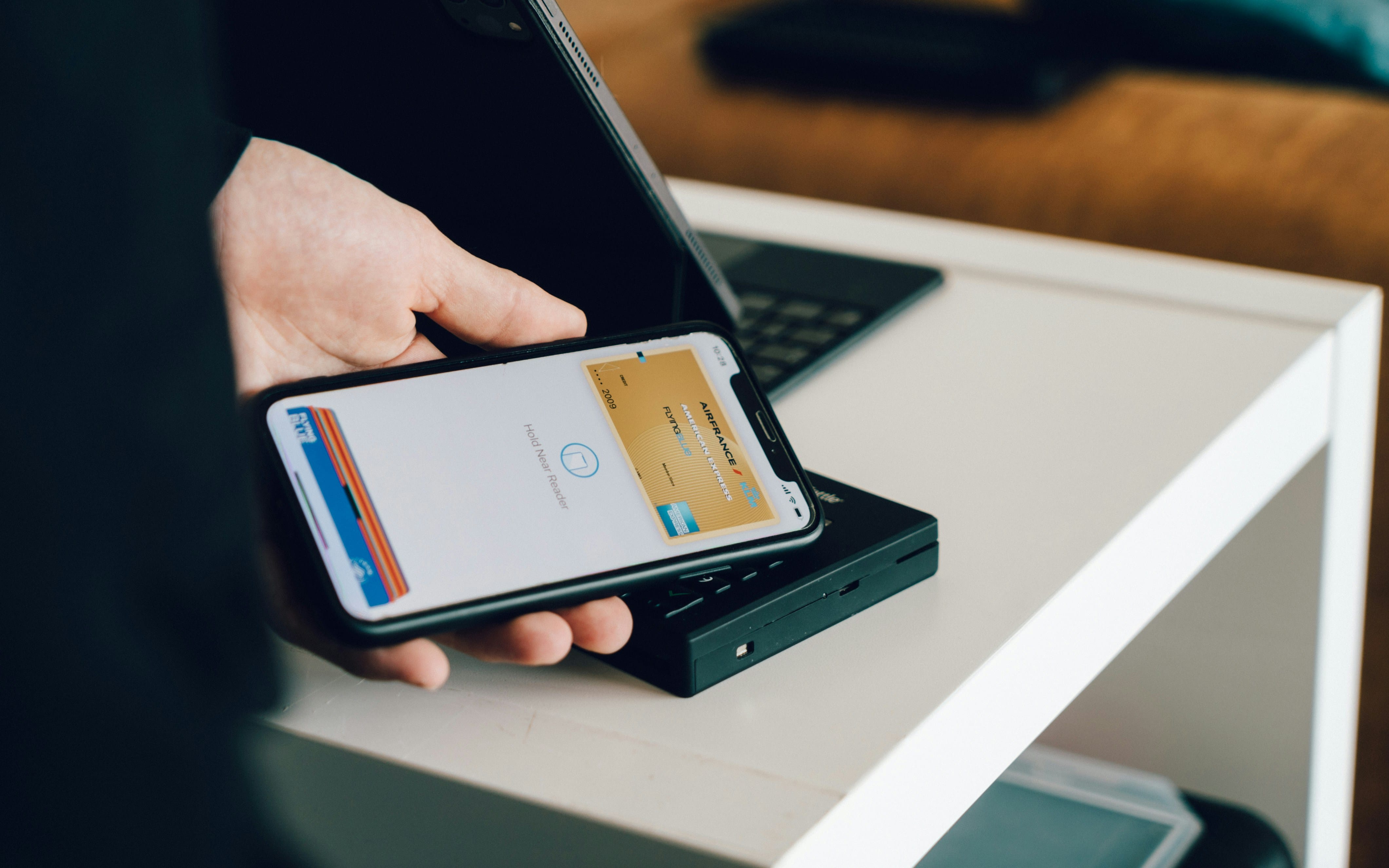
When you’re overseas, look for the contactless payment symbol or the Apple Pay logo at checkout counters. Simply hold your iPhone or Apple Watch near the terminal, confirm with Face ID or Touch ID, and your payment will go through instantly.
4. Always pay in local currency to avoid DCC fees
If a store offers to charge you in your home currency instead of the local one, always choose the local currency. This helps you avoid Dynamic Currency Conversion (DCC) fees and inflated exchange rates.
With these steps, you’ll have no trouble using Apple Pay around the world. So the next time you find yourself asking, Can I use Apple Pay internationally? you’ll know exactly how to make it work for you without extra hassle or fees.
Does Apple Pay Work Without Internet or Cellular Data?
One of the best things about Apple Pay is that it doesn’t require an internet connection or cellular data to make in-person payments. Thanks to a technology called tokenization, Apple Pay stores a unique, encrypted code (or “token”) for each of your cards directly on your device. When you tap your iPhone or Apple Watch at a contactless terminal, the payment is processed securely through NFC (Near Field Communication). This means no Wi-Fi or mobile data is needed.
However, you do need an internet connection at certain times, such as when you first add or verify a new card in Apple Wallet, or when updating your device’s software or wallet settings. Once your cards are set up, you can pay offline just as easily as you would at home.
If you’re traveling abroad and plan to rely on Apple Pay, it’s a good idea to have a backup way to connect online for setup or verification. Many travelers now use an eSIM for international travel, which provides instant data access without the hassle of swapping physical SIM cards, perfect for managing your Apple Wallet and other essential apps while abroad.
Apple Pay vs Physical Cards While Traveling
When it comes to paying abroad, many travelers now prefer Apple Pay over traditional cards, and for good reason. It’s faster, more secure, and eliminates the need to carry multiple physical cards that could get lost or stolen. With just your iPhone or Apple Watch, you can tap to pay at most contactless terminals around the world.
If you’ve ever asked, Can I use Apple Pay internationally? The answer is usually yes. As long as your bank, card network, and destination country support Apple Pay, it works just like a physical card would. The only difference is that Apple Pay uses tokenized data, meaning your actual card number is never shared with the merchant, adding an extra layer of protection against fraud.
That said, it’s still smart to bring at least one backup physical card for situations where Apple Pay isn’t accepted, such as smaller local shops, offline terminals, or regions with limited contactless infrastructure. Used together, Apple Pay and your physical card make a reliable combination for smooth, worry-free payments anywhere in the world.
How to Avoid International Fees
Even though Apple Pay itself doesn’t charge extra, your bank or card issuer still might. The good news? With a few smart strategies, you can minimize or completely avoid those costly international fees no matter where you’re headed. Here’s how:
Use fee-free travel cards
Consider using digital banks or travel-friendly cards like Wise, Revolut, or Monzo, which offer zero or low foreign transaction fees and competitive exchange rates. These cards work perfectly with Apple Pay, making them ideal for travelers who often ask, Does Apple Pay work internationally without added costs.
Disable DCC and always pay in local currency
When a store gives you the option to pay in your home currency, always choose the local currency instead. This helps you avoid Dynamic Currency Conversion (DCC) fees, which are hidden markups that can add up quickly on every purchase.
Keep an eye on your card’s exchange rates
Even fee-free cards can vary slightly in their exchange rate markups, so it’s smart to monitor how much your bank charges for currency conversions. Apple Pay doesn’t control these rates. Your card provider does, so understanding them can help you get the best deal while traveling.
Troubleshooting: Why Apple Pay Might Not Work Abroad
Even if your Apple Pay is set up correctly, there are times when it might not work while traveling abroad. Before you panic at the checkout, here are a few common reasons and how to fix them:
Unsupported country or card
The most common reason Apple Pay fails overseas is that your card or the destination country isn’t supported. Some regions still don’t have Apple Pay availability, or certain banks haven’t enabled it yet. To confirm, check Apple’s website before you go.
Terminal not NFC-enabled
Apple Pay requires a contactless (NFC-enabled) terminal to process payments. While most modern stores and restaurants accept contactless payments, some smaller businesses, especially in developing regions, may still rely on chip or swipe-only machines. If Apple Pay doesn’t work, try using your physical card instead.
Card network restrictions
Certain card networks have limited international acceptance, especially American Express (AMEX), which isn’t supported by all merchants outside major cities. If your AMEX card doesn’t go through with Apple Pay, try adding a Visa or Mastercard alternative for more reliable coverage.
By knowing these common issues ahead of time, you’ll be better prepared to handle payment hiccups abroad and keep your travels stress-free.
Alternatives for No-Fee International Payments
If you want to skip high foreign transaction costs, there are now plenty of smart banking alternatives that make paying abroad simpler and cheaper. Services like Wise, Revolut, and even some eSIM-linked digital banks offer multi-currency wallets, allowing you to hold and spend in different currencies without hidden fees. These platforms use real exchange rates and minimal markups, perfect for frequent travelers who need to manage money across borders.
Even better, Apple Pay works with these services. You can easily add your Wise or Revolut card to your Apple Wallet and enjoy the speed, security, and convenience of tap-to-pay transactions around the world. It’s a good idea to use an eSIM for international travel, so you can stay connected anywhere without swapping SIM cards and monitor your balances or receive payment alerts in real time, all while avoiding expensive international roaming charges.
By combining Apple Pay with multi-currency accounts and eSIM for international travel, you can make your next trip smoother, smarter, and virtually fee-free.

The Smarter Way to Use Apple Pay Abroad with Jetpac eSIM
If you rely on Apple Pay while traveling, staying connected is essential, and that’s where Jetpac eSIM comes in. Instead of paying steep international roaming charges, you can switch to a Jetpac eSIM for iPhone, giving you instant access to local data networks in over 100 countries. It’s fast, reliable, and far more cost-effective than using traditional roaming plans from your home carrier.
With Jetpac eSIM for international travel, you can easily stay online to manage your Apple Wallet, verify new cards, check your bank notifications, or access currency converters without worrying about surprise data bills. Installation takes just a few taps on your iPhone, and you can activate data plans before you even land at your destination.
By pairing Apple Pay with Jetpac eSIM, you get the ultimate travel setup: secure, contactless payments powered by affordable global connectivity. It’s the smarter, budget-friendly way to stay connected and spend seamlessly anywhere in the world.
FAQs
Can I use Apple Pay in a different country?
Yes, you can use Apple Pay in a different country as long as your bank, card network, and the local payment terminals support it. Apple Pay works just like a regular debit or credit card, allowing you to tap and pay at contactless-enabled merchants abroad. Before traveling, it’s best to check Apple’s official website to confirm availability in your destination.
Can I use Apple Pay for international payments?
You can use Apple Pay for international payments wherever contactless payments are accepted and your card network (Visa, Mastercard, etc.) is supported. Apple Pay itself doesn’t charge any extra fees, but your bank or card issuer may apply foreign transaction or currency conversion charges. For a smooth experience, ensure your card allows international transactions before your trip.
Does Apple Pay automatically convert currency?
Apple Pay doesn’t directly handle currency conversion. When you make a purchase abroad, your card network and issuing bank automatically convert the local currency into your home currency using their exchange rates. Any markups or conversion fees depend on your bank’s policy, not on Apple Pay itself.
Is Apple Pay the same as Apple Cash?
No, Apple Pay and Apple Cash are not the same. Apple Pay is a digital wallet that lets you make secure payments using your linked debit or credit cards. Apple Cash, on the other hand, functions like a peer-to-peer payment system within the U.S., allowing users to send and receive money through iMessage. Apple Cash is not available internationally.
Which countries accept Apple Pay?
Apple Pay is supported in dozens of countries worldwide, including the United States, Canada, the United Kingdom, most of Europe, Australia, Japan, and parts of Asia such as Hong Kong and Singapore. However, some regions, especially in Africa, South America, and parts of the Middle East, still have limited or no Apple Pay availability.
Does Apple Pay work when you’re abroad?
Yes, Apple Pay works abroad in most places where contactless payments are accepted. As long as your card and bank support international transactions, you can use it the same way you do at home. Just tap your iPhone or Apple Watch at the terminal. If you’re wondering about internet access, Apple Pay also works offline at NFC terminals, so you don’t need mobile data or Wi-Fi to complete payments while traveling.


