
How Does a Dual SIM Phone Work? Explained Simply
Learn how a dual SIM phone works, its types, pros, and eSIM setup. Discover Jetpac’s best eSIM for travel and avoid international roaming charges.
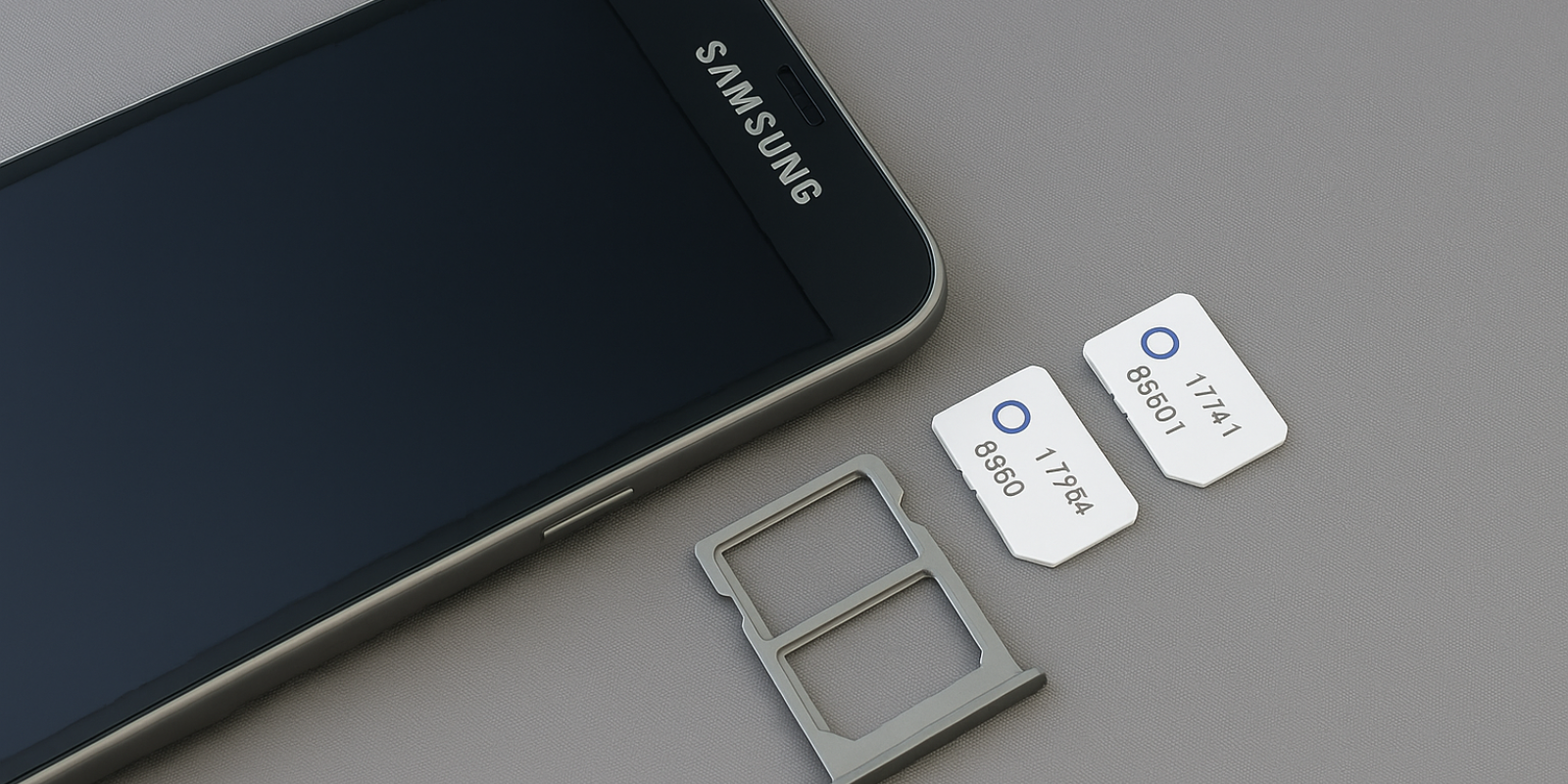
A dual SIM phone lets you use two networks or numbers on one device, ideal for professionals and travelers. This blog explains how a dual SIM phone works, the types of setups available (Dual Standby, Dual Active, and eSIM), and how to install or manage one easily on iPhone and Android. You’ll also learn how to switch between SIMs, pick the best dual SIM card phone, and use an eSIM for international travel to avoid high international roaming charges. Whether you’re managing work and personal lines or crossing borders, this guide simplifies dual SIM use for everyone. Jetpac’s international eSIM plans make global connectivity easier than ever. With instant setup, multi-network switching, and coverage in 200+ destinations, Jetpac is the best eSIM for travel, helping you stay connected anywhere without swapping SIM cards or paying extra.
Multi-SIM phones aren’t new. The first dual SIM devices appeared in the early 2000s, giving users the freedom to run two networks on one handset. Back then, it was mostly a niche feature — popular among business users and frequent travelers. Over time, dual SIM support became standard in many Android phones, and now, with eSIM technology built in, it’s more powerful and convenient than ever.
Today, most smartphones can handle both physical SIM cards and eSIM profiles, allowing users to switch networks, manage two numbers, or add local data plans while abroad. Whether you travel often, juggle work and personal calls, or want to cut down on international roaming charges, understanding how a dual SIM phone works helps you make smarter use of your device.
In this blog, we’ll focus on the basics of dual SIM phones, what they are, how they function, and the different types available. We’ll also touch on eSIM integration, including how to set up an eSIM for iPhone, install one on Android, and how an eSIM for international travel can make borderless connectivity simple.
What Is a Dual SIM Phone?
A dual SIM phone is a smartphone that lets you use two different SIM cards or profiles at the same time. In simple terms, it works like having two phone lines in one device. Each SIM has its own number, network, and plan, giving you flexibility for calls, messages, and data.
For instance, many professionals keep one SIM for work and another for personal use. Frequent travelers often use a local SIM abroad to avoid high international roaming charges. With a dual SIM phone, managing both is easy, and you do not need to carry two separate phones.
If you have ever wondered, “Can I have two SIM cards with the same number?”, the answer is no. Each SIM connects to its own mobile network and has a unique number. However, on a dual SIM phone, you can keep both active and switch between them for calls, data, or texts whenever needed.
| Modern devices now include both physical SIM slots and eSIM support. This means you can store more than one mobile plan digitally. If you use an eSIM for iPhone or Android, you can easily add a local plan when traveling without removing your existing SIM card. |
How Dual SIM Actually Works?
Understanding how a dual SIM phone works is easier than it sounds. When your phone has two SIMs, it can connect to two mobile networks at once. This gives you the option to use one number for calls or texts while the other handles mobile data or stays on standby.
For example, you can keep your main SIM active for personal calls while using a second SIM for cheaper data or business use. Many people traveling abroad activate a local SIM or an eSIM for international travel so they can stay connected without paying extra international roaming charges.
Here is what happens behind the scenes. Your phone’s internal system keeps both SIM profiles active, but how they work together depends on the type of dual SIM setup your device supports. Some phones allow both SIMs to stay ready for calls and messages, while others switch automatically when one line is busy.
Most newer models also support one physical SIM and one eSIM, which means you can store several digital SIM profiles at the same time. This is especially useful on devices that use an eSIM for iPhone or Android, as you can easily switch between plans in seconds.
Types of Dual SIM
Not all dual SIM phones work in the same way. There are a few types that determine how both SIMs function together. Here is a quick overview:
Type |
How It Works |
Best For |
|
Dual SIM Dual Standby (DSDS) |
Both SIMs stay active for calls and texts, but only one can handle an active call at a time. |
Most modern phones. Ideal for people balancing personal and work lines. |
|
Dual SIM Dual Active (DSDA) |
Both SIMs are fully active at the same time. You can receive calls on both numbers simultaneously. |
Professionals or users who need two lines always available. |
|
Dual SIM with eSIM Support |
One physical SIM and one eSIM (digital SIM). You can switch plans instantly without removing any card. |
Travelers using an eSIM for international travel or frequent flyers. |
Can You Use Two Network SIMs at Once?
Yes, most dual SIM phones can use two network SIMs at the same time, but how they work together depends on the model.
In Dual SIM Dual Standby (DSDS) phones, both SIMs stay active for texts and calls, but only one can handle an active call at a time. When you answer a call on one line, the other temporarily pauses.
In Dual SIM Dual Active (DSDA) phones, both SIMs are active all the time. You can receive calls or messages on either number without switching.
Example: You can keep your primary SIM connected to your home carrier for messages while using a second eSIM for international travel to get cheaper local data when abroad.
How to Swap SIM Cards on a Dual SIM Phone
Swapping or managing SIMs on a dual SIM phone is simple once you know where to look. Most modern phones let you choose which SIM handles calls, data, or messages directly in the settings.
For Physical SIM Cards
Power off your phone and locate the SIM tray.
Insert or remove the SIM card using the ejector tool.
Restart the phone and go to Settings → Mobile Network → SIM Manager.
Choose which SIM you want to use for data, calls, or texts.
For eSIM Profiles
If your phone supports eSIM, you can switch without removing any card.
Go to Settings → Cellular → Add eSIM (on iPhone) or Settings → Network & Internet → SIMs (on Android).
Scan your carrier’s QR code or enter the activation details.
Toggle between eSIM profiles anytime you want to change networks.
How to Pick the Right Dual SIM Phone for You
The best dual SIM card phone depends on how you plan to use it. Not everyone needs the same setup, so it helps to choose based on your lifestyle and priorities.
For Travelers: Pick a phone that supports one physical SIM and one eSIM. This makes it easier to activate a local plan abroad and avoid international roaming charges. Pair it with an eSIM for international travel to stay connected in multiple countries.
For Professionals: Choose a model with Dual SIM Dual Active (DSDA) support. This allows you to manage work and personal calls at the same time without missing either.
For Everyday Users: A Dual SIM Dual Standby (DSDS) phone is ideal if you just want flexibility between carriers or prepaid plans.
The right device comes down to how often you switch networks or travel. For frequent flyers, a dual SIM with eSIM support offers the most convenience and fewer limits.
Pros and Cons of Dual SIM Phones
Owning a dual SIM phone gives you flexibility, but it is worth knowing both sides before you decide if it fits your needs.
Pros |
Cons |
|
Use two numbers on one device for work and personal life. |
Battery drains slightly faster when both SIMs stay active. |
|
Stay connected while traveling and avoid international roaming charges. |
Some phones allow only one active data SIM at a time. |
|
Easily switch between carriers for better signal or cheaper plans. |
Settings can feel complex for first-time users. |
|
Works smoothly with eSIM for iPhone or Android for quick plan changes. |
Not all carriers or regions support dual SIM or eSIM. |
A dual SIM setup is best if you travel often, manage multiple networks, or want to keep your life and work lines separate without carrying two phones.
Dual SIM Set-Up Guides
Setting up a dual SIM phone is simple once you know where to find the right options. Below are quick steps for both iPhone and Android users.
iPhone (Dual SIM / Dual eSIM)
Recent iPhones support one physical SIM and one eSIM, while the latest models allow two active eSIM profiles at once.
To set up Dual SIM on iPhone:
Go to Settings → Cellular → Add eSIM.
Scan the QR code or enter the details provided by your carrier or eSIM provider.
Label each line (for example, “Personal” and “Travel”) to make them easier to manage.
Choose which SIM to use for calls, texts, and mobile data.
Once configured, you can switch between profiles instantly. Using an eSIM for iPhone is especially useful for international trips since it removes the need for swapping physical cards.
Android (Pixel / Samsung and Others)
Most newer Android phones support one physical SIM and one eSIM, with some premium models allowing two eSIM profiles.
To set up Dual SIM on Android:
Open Settings → Network & Internet → SIMs.
Tap Add eSIM and scan the QR code from your carrier or eSIM provider.
Assign a name to each SIM (for example, “Work” or “Local”).
Select which SIM you want to use for calls, text messages, and mobile data.
If you travel frequently, you can also save multiple eSIM profiles and switch between them whenever needed, perfect for those using an eSIM for international travel.
Compatibility: Does Your Phone Support Dual SIM?
Before using two networks, it helps to confirm that your device supports dual SIM or eSIM technology. Most modern phones do, but features can vary depending on the model and region.
Here is how to check:
Check your phone’s specifications on the manufacturer’s website. Look for “Dual SIM” or “eSIM” support in the network section.
For iPhone users: Go to Settings → Cellular → Add eSIM. If the option appears, your device supports it. Make sure your phone is unlocked — see our guide on How to Check if iPhone is Unlocked.
For Android users: Go to Settings → Network & Internet → SIMs. You should see the option to add or manage multiple SIMs.
Confirm carrier support. Some carriers limit dual SIM or eSIM use in specific regions.
You can also read our full guide on How Do I Know if My Phone Supports eSIM for a step-by-step walkthrough.
Once confirmed, setting up dual SIM and eSIM is straightforward, giving you flexibility to switch networks, use local data plans, or avoid international roaming charges wherever you travel.
Switch Seamlessly with Jetpac eSIM
If you travel often or use multiple numbers, an eSIM is the easiest way to stay connected without juggling physical SIM cards. Jetpac makes this even simpler by offering flexible global international eSIM plans that work alongside your primary SIM, letting you manage both in one device.
Here is why travelers consider Jetpac the best eSIM for travel:
200+ destinations covered across the world.
Instant activation through a quick QR scan — no waiting or paperwork.
Up to 70% cheaper than traditional international roaming charges.
Multi-network switching ensures the strongest available signal.
Hotspot sharing is supported, even on unlimited data packs.
Free access to essential apps such as WhatsApp, Uber, and Google Maps even after your data runs out.
5G coverage in 50+ countries for faster browsing and streaming.
Voice calling starting at $1.99 for 5 minutes.
24/7 customer support via WhatsApp and email for on-the-go help.
Extra perks like free lounge access for flight delays and a 4.8 Trustpilot rating from over half a million satisfied users.
Jetpac works perfectly with both physical SIM and eSIM for iPhone or Android, giving you reliable connectivity while keeping your primary number active. It is ideal for business travelers, digital nomads, and anyone who wants to move freely without switching SIM cards or worrying about data limits.
With Jetpac, dual SIM truly becomes dual convenience — one phone, two networks, and endless connectivity.
FAQs
Can dual-SIM phones support eSIM?
Yes, most modern dual SIM phones support one physical SIM and one eSIM. Newer models like iPhone 14 and later even allow dual eSIMs to be active at the same time.
Does Dual SIM give you two phone numbers?
Yes. Each SIM or eSIM profile comes with its own number and mobile plan, allowing you to use one phone for both work and personal calls.
How to know if a phone is using dual SIM?
Go to Settings → Cellular (iPhone) or Settings → Network & Internet → SIMs (Android). If you see two SIM options, your phone supports dual SIM functionality.
What is the best dual-SIM Android phone?
The best dual SIM card phones include models like the Samsung Galaxy S23, Google Pixel 7, and OnePlus 11. All support eSIM for international travel and work seamlessly with multiple carriers.
Can you receive calls from both SIMs on a dual-SIM phone?
Yes. In dual-active phones, both lines can receive calls simultaneously. In dual-standby phones, one line pauses if the other is in use.
How much does an eSIM cost?
Pricing depends on the provider and region. However, using an eSIM for international travel is usually cheaper than standard roaming. Jetpac’s international eSIM plans start at affordable daily rates.
Why isn't my dual SIM working?
Check if both SIMs are active and supported by your carrier. Restart your phone or toggle between SIMs in settings. If using an eSIM for iPhone or Android, re-scan the activation QR code.


