How Many eSIMs Can You Have? Device Limits Guide
Find out how many eSIMs you can have on iPhone and Android, how many stay active, region limits, and easy ways to manage multiple eSIM profiles for travel.
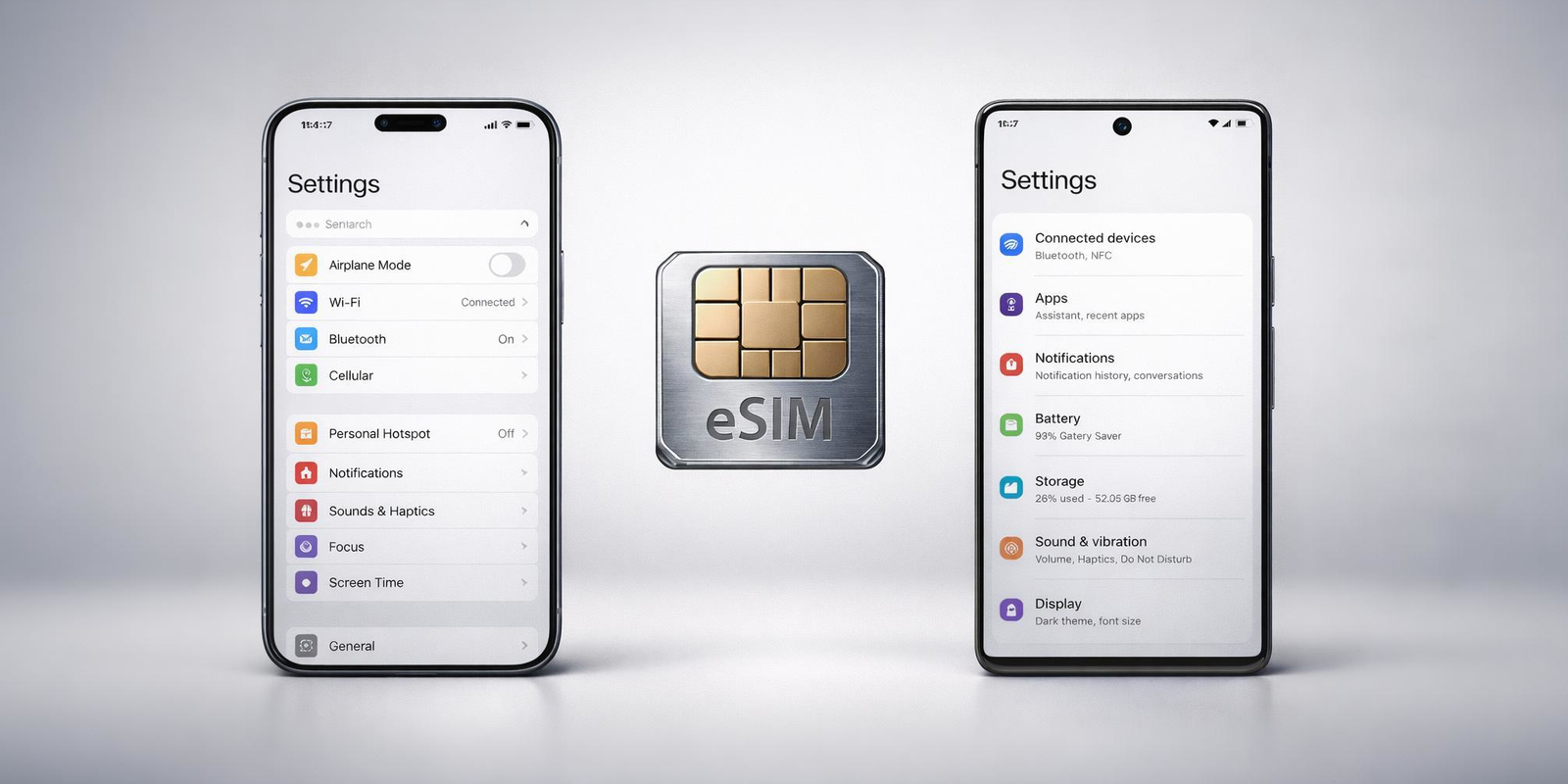
Modern phones can store several eSIM profiles, making it easy to switch between travel plans, work numbers, and personal lines. Most newer devices support one or two active eSIMs at a time, with storage ranging from 5 to as many as 20 profiles. These limits help you plan better for international travel and everyday use.
As more phones switch to digital SIM technology, it is natural to wonder how many eSIMs you can have on a single device. Travelers want the freedom to store local plans for different countries. Remote workers often keep separate numbers for business and personal use. Some people simply like having backup data plans ready. No matter the reason, knowing how many eSIMs you can have on your phone helps you use your device in a way that feels easy and flexible.
The limit depends on your phone since different models and regions handle eSIMs differently, so understanding these variations helps you use international eSIMs like Jetpac more smoothly.
This blog explains everything in a simple way, so you know exactly how many eSIMs your iPhone or Android can hold, how many can stay active, and what to expect before your next trip.
Before we look at how many eSIMs you can have on an iPhone or Android, let’s understand what an eSIM actually is and why the limit matters.
What is an eSIM, and why does the limit matter?
An eSIM is a digital version of a SIM card. Instead of inserting a small plastic card into your phone, the eSIM is built into the device itself. You can scan a QR code, download a profile, or activate a plan directly from an app. This makes setup faster and removes the need to swap physical cards while traveling.
For many people, the real advantage is flexibility. You can keep more than one plan on your phone, switch between networks when needed, and stay connected across countries without visiting a store. This is especially helpful if you often use an international eSIM or look for the best eSIM for international travel to stay online across multiple destinations.
Because a single phone can store several plans, the question of how many eSIMs you can have begins to matter. Travelers may want a data plan for each region they visit. Remote workers might need separate work and personal numbers. Some users like keeping backup profiles ready in case they run out of data. The eSIM limit indicates the number of profiles your phone can store and the maximum number that can remain active simultaneously.
With this in mind, we can now look at how many eSIMs you can have on an iPhone and how Android handles them as well.
How many eSIMs can you have on an iPhone?
Apple introduced eSIM support with the iPhone XS, XR, and XS Max in 2018. Every iPhone released after these models supports eSIM in some form. The number of profiles you can store and the number of lines you can keep active, depend on the device generation.
Here is a clear breakdown.
iPhone Model / Series
Stored eSIM Profiles
Active Lines Supported
iPhone 17 series
Up to 12
2 active lines
iPhone 16 series
Up to 8
2 active lines
iPhone 15 series
Up to 8
2 active lines
iPhone 14 series
Up to 8
2 active lines
iPhone 13 series
Up to 8
2 active lines
iPhone 12 series
Up to 20
2 active lines
iPhone 11 series
Up to 20
1 active eSIM line (2 lines only when using one physical SIM)
iPhone SE 2022
Several, based on the carrier
2 active lines
iPhone SE 2020
Limited storage
1 active eSIM line
iPhone XS
iPhone XS Max
iPhone XR
Up to 20
1 active eSIM line
Important regional aspects to consider:
US models from iPhone 14 onward are eSIM only and do not include a physical SIM tray.
International models still include one physical SIM slot alongside eSIM support.
Mainland China models do not support eSIM at all on any iPhone model.
Hong Kong and Macau versions support eSIM on newer devices.
All devices from iPhone XR and XS onwards support digital SIM technology.
iPhones older than iPhone XR and XS do not support eSIM at all.
Unsupported iPhones
Older iPhones do not support eSIM at all. These include:
iPhone 8 and 8 Plus
iPhone 7 series
iPhone 6 series
iPhone SE (1st gen)
iPhone 5s and earlier
These models must use a physical SIM.
Almost all modern iPhones support two active lines and allow smooth switching between stored profiles.
This makes iPhones particularly convenient for travelers using an international eSIM or looking for the best eSIM for international travel.
How to check eSIM support on iPhone?
You can confirm eSIM support on your iPhone in just a few steps. Everything you need is already in the Settings app.
#1. Check through Settings
Open Settings
Go to General
Tap About
Scroll down and look for Digital SIM or Available SIM
If your iPhone supports eSIM, you will see an EID number listed here.
Another quick way:
Go to Settings
Tap Cellular or Mobile Data
If you see Add eSIM, your iPhone is eSIM ready
#2. Check your iPhone model
All models from iPhone XR, XS, and XS Max (2018) onward support eSIM in most regions. If you are unsure, look up your model number on Apple's website to confirm.
#3. Check your carrier lock status
Open Settings
Go to General
Tap About
Look for Carrier Lock
If it says No SIM restrictions, your iPhone is unlocked and can use any eSIM, including international eSIM options.
#4. Test by scanning a QR code
If your phone accepts a QR code from any international eSIM provider, your device supports eSIM.
These steps give you a quick answer to whether your device supports eSIM and is ready to handle multiple profiles, which helps when planning how many eSIMs you can have on your iPhone.
How many eSIMs can you have on Android?
Android phones support eSIM in very different ways depending on the brand, model, region, and Android version. This makes the question of how many eSIMs you can have on Android far less consistent than on iPhones. Newer flagships support multiple active eSIMs, while many mid-range or older devices only keep one active at a time.
Here is a quick answer for Android eSIM limits
Active eSIMs:
Newer flagship phones running Android 13 or newer can keep 2 active eSIMs at the same time. Older or budget models usually support 1 active eSIM.
Stored eSIM profiles:
Depending on the brand, Android phones can store between 5 and 20 eSIM profiles, even if only one or two can stay active.
Android eSIM support by brand
The table below keeps things simple and readable:
Brand / Model
Active eSIM Limit
Stored Profiles
Google Pixel 7, 8, 9, 10
2
8 or more
Samsung Galaxy S24, S25
2
Up to 20
Samsung Galaxy S21, S22, S23
1 or 2*
5 to 10
Motorola and OnePlus
1
5 or more
Budget and mid-range Android
1
Around 5
Footnotes:
Dual active eSIM became available on Galaxy S23 models only in select regions and updates.
Samsung models from China, Hong Kong, and Taiwan often do not support eSIM.
Many carrier-locked US Samsung models disable eSIM.
Motorola and OnePlus vary heavily by region; some India and US variants do not include eSIM at all.
The Android 13 change you should know
Before Android 13, almost all Android phones could store many profiles but only use one eSIM at a time.
Android 13 introduced Multiple Enabled Profiles (MEP), allowing two eSIM lines to be active from a single eSIM chip. This is why newer devices like Pixel 7 or Galaxy S24 support dual eSIM lines.
Typical Android eSIM setups
Most Android phones fall into one of three groups:
Dual active eSIM
You can keep two eSIMs active at the same time. Requires Android 13 and compatible hardware.
Hybrid dual SIM
One physical SIM active plus one eSIM active.
Supported on almost all Android phones with eSIM.
Single active eSIM
Only one line is active at a time, even if several eSIM profiles are stored.
How to check your Android phone’s eSIM limit
Because Android support varies widely, the easiest way to check how many eSIMs you can have on your phone is:
Open Settings
Tap Network and Internet or Connections
Go to SIMs or SIM Manager
Turn on two eSIM profiles if the option is available
If both lines stay active without disabling each other, your phone supports dual active eSIM.
Other Android brands
Most modern models from OPPO, Vivo, HONOR, Huawei, Xiaomi, Sony, Nokia, Sharp, ASUS, Realme, and Rakuten support at least one active eSIM, but availability varies by region and carrier.
How to check eSIM support on Android?
Android devices differ a lot across brands and regions, so the simplest way to confirm eSIM support is by checking directly on your phone. Here are the steps that work for most users.
#1. Check through Settings
Open Settings
Tap Network and Internet or Connections
Look for SIMs, SIM Manager, or eSIM
If you see Add eSIM, Download SIM, or Add mobile plan, your phone supports eSIM.
Some models also show an EID under About Phone, which confirms digital SIM capability.
#2. Check your Android version
Android 13 introduced support for dual active eSIM on compatible hardware.
To check:
Open Settings
Tap About Phone
Look for the Android version
If your phone is running Android 13 or newer, the device may support two active eSIMs.
#3. Check region-specific rules
eSIM availability depends heavily on where the phone was sold:
Mainland China models usually do not support eSIM
Some Hong Kong and Taiwan editions may have eSIM disabled
US carrier-locked models sometimes block eSIM
Europe and Japan usually offer full eSIM functionality
These differences affect how many eSIMs you can have on Android.
#4. Try activating two eSIM profiles
If your phone already has more than one downloaded eSIM:
Turn on the first eSIM
Turn on the second
- If both remain active, your device supports dual active eSIM.
- If one switches off, it is limited to one active eSIM.
#5. Check your exact model online
Manufacturers list eSIM support by model on their official websites.
This is the easiest way to confirm limits on brands like Samsung, Google, Motorola, Xiaomi, OPPO, Vivo, OnePlus, Sony, and others.
#6. Dial *#06# to check for EID
Open your phone dialer and enter *#06#.
If an EID number appears, your device is eSIM compatible.
This is one of the quickest ways to check support without digging through settings.
What are the benefits of storing multiple eSIMs?
Having several eSIM profiles on your phone gives you more control over how you stay connected. It keeps everything digital and easy to manage, especially if you travel or switch between different numbers during the week. This is why people often ask how many eSIMs you can have, because the flexibility grows with each added profile.
#1. Simple switching
You can move between different eSIM profiles with a quick toggle. One for work, one for personal use, another for travel. No tray tools or SIM cards to swap.
#2. Smooth travel experience
Keeping a few country-specific plans stored makes international trips easier. You can turn on a local data plan as soon as you land and avoid high roaming fees. This works well when using an international eSIM or the best eSIM for international travel.
#3. Better cost control
Stored eSIMs let you choose prepaid or local plans that suit your needs. You can avoid surprise charges and switch to a cheaper plan at any time.
#4. One device for work and personal life
You can maintain two separate numbers on the same phone. It keeps things organized without needing a second device.
#5. Backup connectivity
If one network is slow or unavailable, another eSIM profile can take over instantly. This keeps you connected during travel or in areas with weak coverage.
#6. No physical SIM cards to manage
Everything stays digital. No small cards to track, lose, or replace. Switching lines becomes calm and simple.
#7. More freedom to change carriers
Having multiple profiles lets you test better coverage, compare prices, or switch plans easily. You are not tied to a single provider.
#8. Added security
eSIMs store network details inside a secure chip, which makes unauthorized copying far more difficult than with removable SIM cards.
#9. Fast setup
Most eSIMs activate through a QR code or app. It takes only a minute or two to add a new profile and start using it.
Multiple eSIMs suit frequent travelers, remote workers, and anyone who wants flexible, low-hassle connectivity. Knowing how many eSIMs you can have on your phone helps you set things up the way that fits your routine.
How to manage multiple eSIMs?
Once you have more than one eSIM on your phone, managing them is straightforward. Here are the only steps that really matter when you want to switch between profiles or stay organized.
#1. Choose which eSIM you want to be active
Phones let you keep one or two lines active, depending on the model. You can turn an eSIM on or off from your SIM settings in a few taps.
#2. Assign a role to each line
Most phones let you choose which profile handles mobile data, calls, or messages. This helps if you use a travel plan for data and keep your home number for calls.
#3. Label your profiles
Give each eSIM a simple name like Home, Work, Japan Trip, or Europe Data. Clear labels make switching easier when you have several profiles saved.
#4. Remove profiles you no longer need
You can delete old eSIMs at any time to keep your phone uncluttered and make space for new travel plans.
#5. Restart if something looks stuck
If a network does not update right away after switching profiles, a quick restart usually fixes it.
These small steps help you stay organized when your phone supports multiple eSIMs, and they pair well with using an international eSIM or the best eSIM for international travel whenever you move between countries.
Best eSIM for international travel
Using an international eSIM makes travel much easier. You can install a plan before your flight, stay connected the moment you land, and avoid the high cost of roaming. Jetpac is one of the few options that keeps everything simple and steady across multiple countries. It works well for travelers who move often and need reliable data without handling physical SIM cards.
Here is why Jetpac stands out:
1️⃣ Essential apps continue working even with zero data
WhatsApp chat, Google Maps, Grab, and Uber remain active, which helps when you need directions or must message someone quickly.
2️⃣ In-app calling in more than 50 countries
You can call hotels, tour operators, and local numbers, even if they do not use app-based calling. Packs start at $1.99 for 5 minutes.
3️⃣ Unlimited hotspot sharing
You can share your data freely with your laptop or another device. There are no limits on hotspot use.
4️⃣ Clear, prepaid pricing
There are no hidden roaming charges. Jetpac keeps everything upfront, so you always know what you are paying for.
5️⃣ One eSIM for more than 200 destinations
If your trip has multiple stops, you can keep the same eSIM and switch plans without reinstalling anything.
6️⃣ Connects to the strongest local network
Jetpac selects the best available signal wherever you go, which helps with stability.
7️⃣ Fast 4G and 5G speeds
Your maps, tickets, and travel apps load quickly when high-speed networks are available.
8️⃣ Simple money-back guarantee
If something does not work as expected, Jetpac offers a straightforward refund.
9️⃣ Support available anytime
The Jetpac team is available 24/7 through WhatsApp and email whenever you need help.
With these features, Jetpac is one of the easiest choices for anyone looking for the best eSIM for international travel, especially if you use multiple eSIM profiles across different trips.
Troubleshooting common eSIM issues
Most eSIM setups are quick, but there are times when things do not activate as expected. Here are a few simple checks that usually fix the problem, whether you are adding one line or testing how many eSIMs you can have on your device.
#1. Your phone is locked
- If your device is carrier locked, it may block new eSIM profiles.
- Go to Settings > General > About and check Carrier Lock.
- It should say No SIM restrictions.
#2. Your eSIM profile didn’t download correctly
- If activation stops halfway, delete the profile and try again.
- A stable WiFi connection helps the download complete smoothly.
#3. Your plan isn’t activated on the carrier side
- Sometimes the eSIM itself is fine, but the mobile plan has not been enabled yet.
- Contact your carrier or your international eSIM provider to confirm activation.
#4. Only one eSIM is turning on
- This usually means your phone supports just one active eSIM at a time.
- This is common on older iPhones and many Android models.
- Newer devices running Android 13 or iPhone models from recent generations allow two active lines.
#5. Network not connecting after switching profiles
- Turn Airplane Mode on and off, or restart the phone.
- This refreshes the network and helps your device load the correct settings.
#6. Region restrictions
- Some phones do not support eSIM based on where they were manufactured.
- Examples include mainland China variants across iPhone and Android models.
#7. Wrong QR code or expired activation
- If your QR code is old or already used, your phone may reject it.
- Request a fresh code from your eSIM provider.
#8. Data not working, but calls work
- Check which line handles mobile data.
- Phones with multiple profiles sometimes default to the wrong line after switching.
These simple checks resolve most setup issues, whether you are using one eSIM or managing several profiles across trips. They are also useful when choosing the best eSIM for international travel, so you know what to expect before you switch networks.
FAQs
How do I check if my phone supports eSIM?
Open your settings and look for options like Add eSIM, Add mobile plan, or Download SIM. You can also dial *#06# and check if an EID appears. If it does, your device is eSIM compatible. This applies to both iPhone and Android.
How many eSIMs can you have on your phone?
Most modern phones can store several profiles, usually between 5 and 20, depending on the brand. Only one or two lines can stay active at the same time. This is the simplest way to understand how many eSIMs you can have overall.
How many eSIMs can you have on an iPhone?
Most iPhones from the XR and XS generation onward can store up to 8 profiles and keep 2 lines active. Newer models may hold more. These limits help answer questions like how many eSIMs can iPhone 13 have, how many eSIMs can iPhone 14 have, how many eSIMs can iPhone 15 have, and how many eSIMs can iPhone 16 have.
How many eSIMs can you have on Android?
Android phones vary by brand and region. Newer devices running Android 13 or later can support 2 active eSIMs, while older or budget phones usually allow only 1 active line. Stored profiles generally range from 5 to 20. This is why how many of eSIMs you can have on Android has no single answer.
What are the benefits of using multiple eSIMs?
Multiple profiles help you switch between countries, manage work and personal numbers, use cheaper prepaid plans, and keep backup networks ready. This flexibility is especially helpful when using an international eSIM or the best eSIM for international travel.
How do I activate a new eSIM on my phone?
You can activate through a QR code, a carrier app, or manual entry. Most phones complete the process within a minute or two.
What should I do if I encounter issues with my eSIM?
Restart the device, refresh network settings, check if your phone is unlocked, or confirm whether your plan is activated. If the issue continues, request a new QR code from your provider.
Disclaimer
All device specifications, eSIM limits, and regional details in this blog are based on information available in the public domain. Actual support may vary by manufacturer, model, country, and carrier settings. This content is for educational purposes only. Jetpac is not responsible for changes in network behavior, device updates, or carrier policies.