Pocket WiFi Thailand Guide: Costs, Setup & Best Alternative
Learn how pocket WiFi works in Thailand, rental costs, setup steps, and why an eSIM may be the best alternative for an easy and reliable way to stay connected.
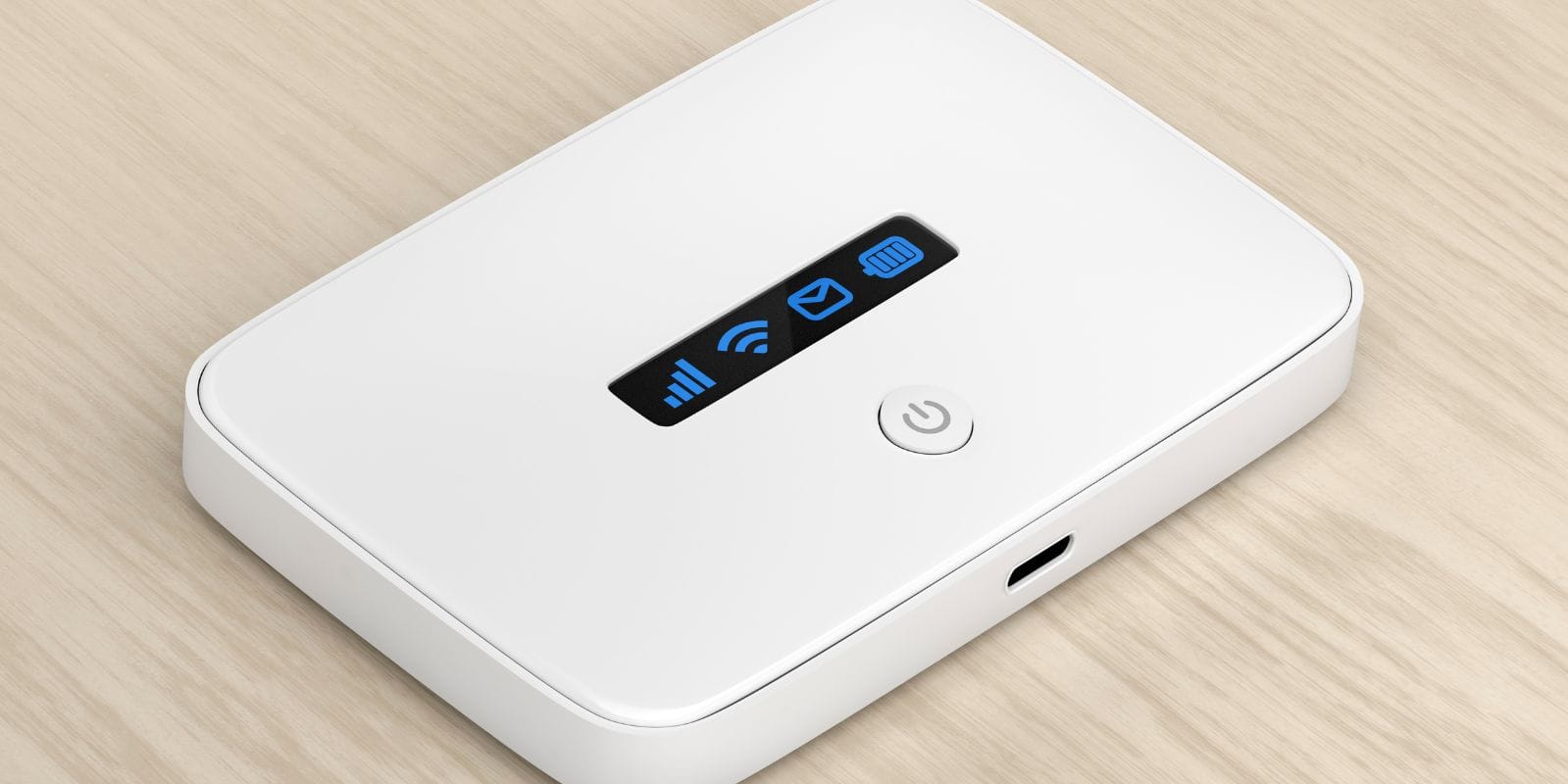
This guide explains everything travelers need to know about getting reliable internet in Thailand using a pocket WiFi. It covers how pocket WiFi works, rental costs, setup steps, and where to pick one up at airports or hotels. It also compares pocket WiFi to other options, such as prepaid SIMs and eSIMs, highlighting Jetpac eSIM as the easiest and most flexible way to stay connected across Thailand.
Traveling to Thailand and want reliable internet on the go? Whether you’re sightseeing in Bangkok, beach-hopping in Phuket, or working remotely from Chiang Mai, staying connected is important. In this guide, you’ll learn about the best pocket wifi for international travel, what to check before booking, how much it costs, how to set it up, and the best alternative: an eSIM for Thailand.
What Is Pocket WiFi and How It Works in Thailand
A “pocket WiFi” device is a small mobile router you rent, carry with you, and connect your smartphone, tablet, or laptop to via WiFi. In Thailand, this means you pick up the device either at the airport, at your hotel, or have it delivered, power it on, and then use it for mobile data across the country. Because you’re not swapping your phone’s SIM card, you keep your standard number and simply use this device for internet access.
It’s a popular choice for travelers because it supports multiple devices at once, is easy to share with friends/family, and gives you consistent internet access during your stay. In countries like Thailand, where you may travel between cities, islands, or remote areas, portable WiFi can feel like a reliable backup.
How to Get Pocket WiFi in Thailand
There are many ways you can get pocket WiFi in Thailand.
Pre-order online before your trip
Many companies allow you to reserve your device online in advance. You enter your dates, pick-up location, and return method, and pay a deposit or rental fee. For example, one company in Thailand offers special pricing ($1/day) when you book well ahead.
Pick up at Suvarnabhumi, Don Mueang, or Phuket Airport
One common option is airport collection. After you land at Suvarnabhumi Airport (Bangkok), Don Mueang Airport, or Phuket International Airport, you visit the counter of the rental company, show your passport, collect the router, and start using it immediately. An example listing shows local pick-up at Suvarnabhumi for a portable WiFi for Thailand from US $6/day.
Rent at your hotel or local shop
Alternatively, some hotels or local mobile device shops may have pocket Wi-Fi units you can rent on arrival. This is less streamlined than online pre-booking, but it is still an option, especially in smaller towns.
What to check before booking (passport, deposit, coverage)
Before you buy portable WiFi for traveling, make sure to check the requirements, such as the following:
Will you need to show your passport and fill out a form? Yes, most Thai rental companies require identification.
Is there a deposit? Make sure to check if you’ve to deposit an amount that they refund if the device is returned undamaged.
What network and speed, and how many devices can connect? Some units allow 5-8 devices at once.
Battery life: How long does the router last on a charge? If you’re on a long day out (on islands or in national parks), you may need a lasting battery.
Is return easy (airport, post-bag, hotel drop)? It is important to ensure you don’t have to travel far to return the device.
Hidden fees: Some offer “unlimited” but throttle after a certain data amount or speed.
Pocket WiFi Costs in Thailand
Average daily and weekly rental prices
Typical daily rental for a pocket WiFi in Thailand starts from around $5-6 a day (approx). Some promotional deals go even lower, such as $1/day if you book well in advance. Weekly rental will reduce the per-day cost somewhat, but you’ll still pay for 7 days.
Factors affecting cost (data limit, speed, device type)
Data allowance: “unlimited” may apply, but speed may be reduced after a cap.
Number of devices you’ll connect: more devices = higher cost.
Pick-up and return location: Airport pick-up/return often adds a convenience fee.
Rental duration: shorter stays often cost more per day.
Device model: newer models (5G capable) may cost more.
Battery & usage in remote or island locations: some areas may have a weaker signal or need stronger devices, which could increase cost.
Hidden fees and deposits to watch for
Many require a deposit (e.g., 1,000 Baht), which you must return the device in good condition to reclaim.
Device-insurance fees: one provider offers optional insurance at 40 Baht/day.
Late return fees or “lost device” charges: penalty may be high.
Throttled speeds after “unlimited” quota: you expect high speed, but after the threshold, you might be dropped to slower bands.
Extra cost for travel to remote islands or special drop-off/pick-up points.
Best Pocket WiFi Providers in Thailand
Thailand has several companies offering short- and long-term pocket WiFi rentals for tourists. Most provide similar coverage and data speeds since they rely on large local networks such as AIS, TrueMove H, or DTAC. The difference usually comes down to price, pick-up convenience, and customer service.
Top rental companies
One of the better-known names is ThaiSims, which offers unlimited 4G LTE coverage and supports up to eight connected devices. Prices start from around US $1 per day if you book in advance online, which makes it one of the cheapest deals currently available. The company’s routers work nationwide and can be picked up or delivered directly to your hotel.
Another option is Smile WiFi, a local provider with counters at Suvarnabhumi, Don Mueang, and Phuket airports. The company advertises plans from about US $6 per day and offers several device types, including newer 5G units for faster speeds. Their airport presence makes them practical for travelers who prefer collecting their device immediately after landing.
When comparing the best pocket WiFi for international travel, look at coverage maps, battery life, and data caps. Some providers slow speeds after heavy use, so always confirm if “unlimited data” means full-speed access throughout your rental period.
Airport rental options vs online delivery
Most travelers pick up their pocket WiFi rental Thailand device at the airport because it’s convenient and immediately available. You simply stop at the counter after immigration, show your confirmation, and collect the router. This approach works best if your arrival time matches service hours and you want to start using data right away. The downside is cost; airport rentals are usually a few dollars more per day and often require waiting in line.
Booking online ahead of time is becoming the more common choice. Many companies now let you pay online and have the router delivered to your hotel, Airbnb, or even a local convenience store for pickup. This saves time at arrival and sometimes qualifies you for discounted rates.
If you arrive late at night or plan to stay outside Bangkok, pre-ordering online ensures the router is waiting when you check in. It also lets you review the device’s condition and documentation without airport rush. Whether you choose airport collection or hotel delivery, always confirm the return procedure in advance; some providers include prepaid envelopes, while others require in-person drop-off.
How to Set Up and Use Your Pocket WiFi
Setting up a pocket WiFi for traveling on your phone is easy. Whether you are buying a pocket WiFi for Spain, Italy, Australia, or even Europe, the process is almost the same. Here is how you can do that:
Step-by-step setup guide
Pre-book the device and choose your pick-up/return locations.
Upon arrival, show your ID/passport, collect the unit, and check that it powers on and has a signal.
Connect your smartphone/tablet/laptop to the router’s WiFi name (SSID), and enter the password supplied.
Use data as needed. Monitor usage if there is a data cap.
Charge the device if the battery is low; keep it with you during your outing.
At the end of pocket wifi rental Thailand, return it at the agreed location, or use a prepaid envelope if available.
Battery life and charging tips
Make sure the device is fully charged when you collect it.
If you’ll be out all day (island tour, national park), bring a power bank; many routers allow charging while in use.
Avoid leaving it in direct sun or hot places (Thailand's heat can amplify battery drain).
Place it in your bag where you can monitor the indicator light, reposition it if the WiFi signal drops.
Carry the charger or USB cable: some rental companies include it, but check if you’ll need to borrow.
Pros and Cons of Pocket WiFi in Thailand
Before comparing prices or booking a device, it helps to understand what using a pocket WiFi Thailand rental is really like. These routers work well for many travelers, but they’re not ideal for everyone. The experience depends on how long you’re staying, how many devices you use, and how much time you’ll spend moving between cities or islands.
Pros:
Works across multiple devices; you can connect a phone, tablet, and a laptop simultaneously.
Keeps your main SIM free for calls/texts if needed.
You can hand it to your travel companion if you’re in a group.
Pre-booking lets you handle internet access on arrival, no scramble for a local SIM.
Cons:
It’s one more device to carry, charge, and return.
Battery life may become an issue if you’re moving all day.
Return logistics may cost time or incur late fees.
In remote areas or islands, the signal might still drop; renting doesn’t guarantee perfect coverage.
For many short trips or if you only have one device, portable wifi for Thailand may cost more than alternative options like a local SIM or eSIM Thailand.
Alternatives to Pocket WiFi in Thailand
Pocket WiFi is not always convenient. Here are some alternatives that can help you stay connected at an affordable price, while giving you reliable coverage.
eSIM for Thailand (best alternative)
An eSIM is a digital SIM profile you install on your unlocked phone, no physical card needed. For many travelers to Thailand, the best eSIM for Thailand is one of the best alternatives because you activate it immediately, don’t carry extra hardware, and can switch easily when you travel. For example, Jetpac offers Thailand-specific eSIM plans with data allowances ranging from small to large. Using an eSIM means your standard number stays active (if your phone supports dual SIM), and you avoid the rental/return process.
Prepaid SIM cards
You can buy a local Thai prepaid SIM card at the airport or a convenience store. These usually give you a data bundle, local calls/texts, and are cheap. The downside: you’ll probably swap your number, may lose the SIM when you leave, and if you have multiple devices, you’ll still need hotspotting or tethering.
Free public WiFi (cafes, hotels, malls)
If you only need intermittent internet access (for maps/weeks of browsing), you can rely on free WiFi in hotels, cafés, and shopping centres. This is the cheapest, but not always reliable, and not great for streaming, heavy usage, or if you’ll be outside the city and on the move.
Do You Really Need Pocket WiFi in Thailand?
When it’s worth it (groups, work trips, short stays)
If you’re traveling in a group and need to share internet among several devices, or if you’re on a work trip and need reliable full-day connectivity across locations, renting a pocket WiFi Thailand is a great option. It’s also good if you’re unsure of local SIM or eSIM compatibility, or prefer having a separate device.
When a SIM or eSIM is more practical
If you’re single, only using your phone and traveling for a short time (e.g., 3-5 days) in a city, an eSIM Thailand or local SIM will likely cost less, simplify logistics, and avoid managing another device. If you’re island-hopping or rural-bound, check coverage either way: even the best pocket WiFi for Thailand doesn’t guarantee a full rural signal.
Jetpac eSIM – The Smartest Alternative to Pocket WiFi in Thailand
If you’ve decided to go with an eSIM, a Jetpac eSIM for Thailand is the best option. Jetpac offers digital data-only plans for Thailand with no physical device to carry. They provide coverage via major Thai networks (such as AIS) and support multi-country travel, too.
Activation is fast; you buy online, scan a QR code, install on your phone, and data begins once you connect in Thailand. That removes the pick-up/return hassle of a pocket WiFi.
If you only carry one phone and don’t need to connect multiple devices, or if you’ll travel to other countries after Thailand, an eSIM may give you better value. Make sure your phone is unlocked, compatible with local bands, and check the validity and data caps.
FAQs
How much is a pocket WiFi in Thailand?
Rates vary, but many rentals start around US $5-6/day. Some advance-booking deals may bring it as low as ~$1/day, depending on the provider and device.
Is there a pocket WiFi rental at the Thailand airport?
Yes. Several rental companies allow pick-up for portable WiFi for Thailand at major Thai airports (Bangkok Suvarnabhumi, Don Mueang, Phuket, etc.). You can collect your device on arrival.
Which internet is best for tourists in Thailand?
If you have multiple devices and travel in a group, a pocket WiFi may suit you. If you carry only a phone and prefer light devices, an eSIM for Thailand or a local SIM card may be better.
What are the disadvantages of pocket WiFi?
You must carry and charge an extra device, return it on time, manage the battery life, and sometimes deal with deposits or returns. Also, coverage is not guaranteed in remote areas.
How do tourists get internet in Thailand?
Common options include renting a pocket WiFi, buying a local prepaid SIM, or installing an eSIM that works in Thailand.
Is $100 a lot of money in Thailand?
Yes, $100 goes a long way in Thailand compared to many Western countries. Many meals, domestic transport rides, and decent hotel rooms can cost significantly less. Using budget-friendly internet options helps you spend your money on experiences rather than connectivity.
Choosing the right Internet solution for your trip makes a real difference. If you’ll connect several devices, move around a lot, and don’t want to think about local SIMs or eSIMs, then a pocket wifi Thailand rental is a safe, known route. But if you prefer simplicity, travel light, and only carry your smartphone, then the best pocket wifi for Thailand might actually be the best eSIM for Thailand instead.
With good planning, checking the data allowance, ensuring your pick-up/return is sorted, verifying network coverage, and even checking the worst times to visit Thailand, you’ll be ready to stay connected from Bangkok’s streets to remote islands and everything in between.
Disclaimer:
All prices, data rates, and plan details mentioned in this article are based on publicly available information from carrier and eSIM provider websites at the time of writing. Actual costs, coverage, and features may vary depending on your location, device compatibility, plan type, and currency exchange rates. Readers are advised to verify the latest terms and pricing directly with their service providers before purchase. Jetpac and this publication are not responsible for any changes, billing discrepancies, or additional fees applied by third-party carriers or partners.