Which iPhones Support eSIM? Full Compatibility List for 2026
Find out which iPhones support eSIM in 2026. Complete list, regional differences, setup steps, storage limits, and the best international eSIM options.
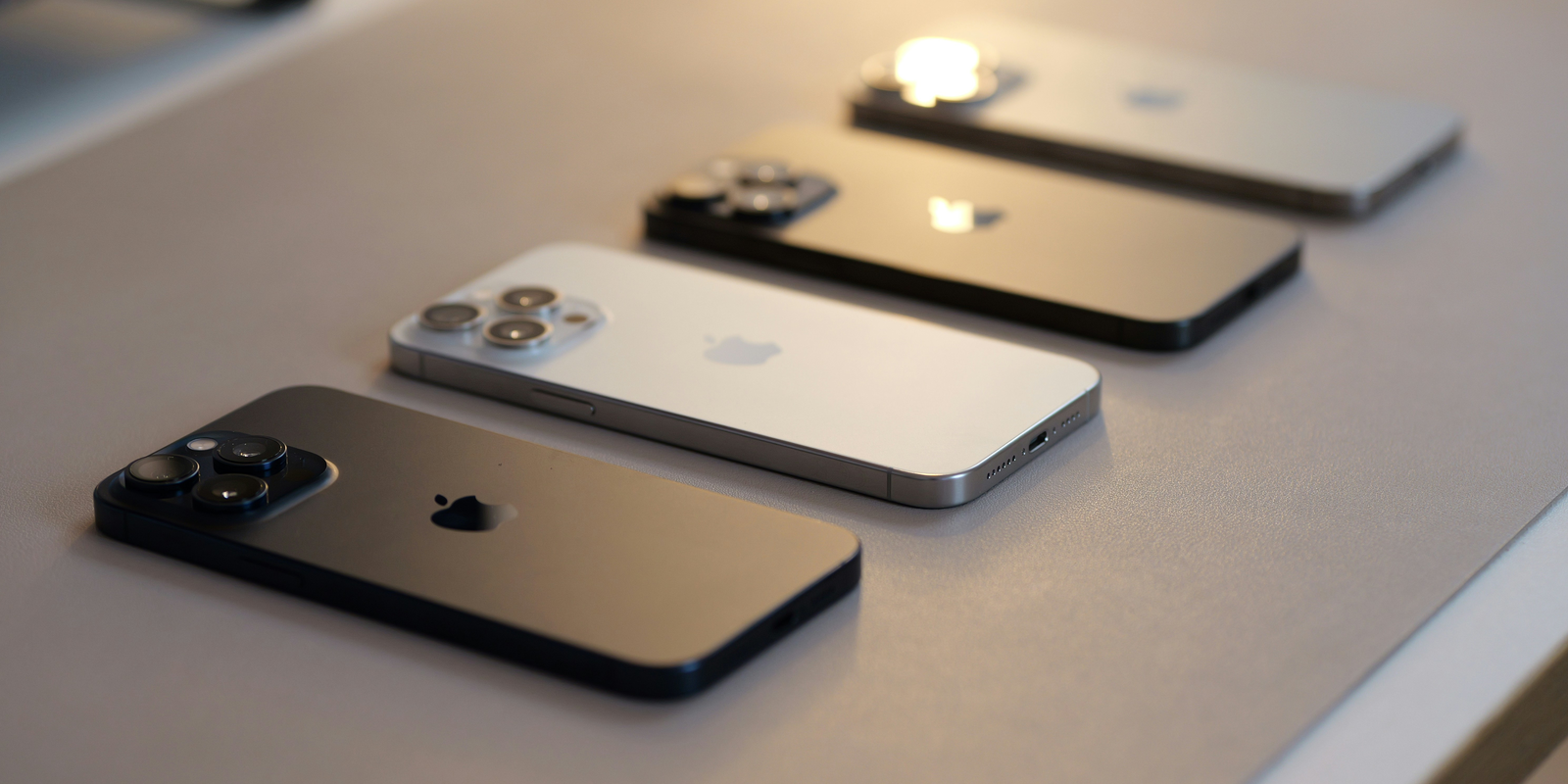
iPhones have supported eSIM since 2018, and every model released from the XS series onward is compatible. This makes choosing the right plan simple, especially for travelers who rely on international eSIM services. As Apple moves toward eSIM-only devices in more markets, knowing which models support eSIM helps you pick a phone that stays flexible in 2026.
eSIM (embedded SIM) has become the standard way to connect an iPhone to a mobile network, and many users now want a clear understanding of which iPhones support eSIM in 2026. Compatibility differs across models and regions, so knowing what iPhones support eSIM helps determine whether you are planning an upgrade, choosing a travel-friendly device, or looking for a reliable option that works with an international eSIM like Jetpac. This blog brings all of the essential details together so you can quickly identify which iPhone models support eSIM today.
Before we explore anything in depth, let us first see which iPhone models support eSIM in 2026.
Quick Answer: Which iPhones Support eSIM in 2026
The simplest way to understand which iPhones support eSIM in 2026 is to look at the release timeline. eSIM support begins with the 2018 lineup, meaning the first models that support eSIM are the iPhone XS, iPhone XS Max, and iPhone XR. Every iPhone released after these models includes eSIM support. This covers the complete iPhone 11, 12, 13, 14, 15, 16, and 17 series, along with the iPhone SE and iPhone Air editions launched till September 2025, globally. These are the iPhones that support eSIM across most regions and carriers, making them the primary answer for anyone asking what iPhones support eSIM or which iPhones are eSIM compatible.
Models older than this, including the iPhone X, iPhone 8, and earlier generations, do not support eSIM because the feature was not introduced until the 2018 lineup.
Now that we have a clear overview of the compatible models, the next part of this blog explains what eSIM actually is on an iPhone and why it has become so important for users in 2026.
What is an eSIM on an iPhone and Why Does it Matter?
eSIM is a digital version of a traditional SIM card that is built directly into the iPhone’s hardware. Instead of inserting a physical card, the device activates a mobile plan by downloading a profile from a carrier. This setup simplifies the process of joining or switching networks and removes the need to manage physical SIM cards.
For everyday use, this means faster activation and easier transitions between carriers. For travelers, it allows the use of an international eSIM without searching for a local store or swapping cards in another country. Since more regions continue to support digital connectivity, knowing which iPhones support eSIM helps users choose a device that remains flexible and reliable in 2026.
Now, let's see the complete compatibility list of iPhones with eSIM support.
Full Compatibility List: iPhones With eSIM Support
Apple first introduced eSIM support with the iPhone XS, iPhone XS Max, and iPhone XR in 2018. Every model released since then has continued to support eSIM, with newer generations including the latest iPhone 17 series and iPhone Air relying solely on eSIM in select regions. Below is the full list of eSIM-supported iPhones, organized by their year of release.
Year of Release
iPhone Models
2025
iPhone 17
iPhone 17 Pro
iPhone 17 Pro Max
iPhone Air
2024
iPhone 16
iPhone 16 Plus
iPhone 16 Pro
iPhone 16 Pro Max
iPhone 16e
2023
iPhone 15
iPhone 15 Plus
iPhone 15 Pro
iPhone 15 Pro Max
2022
iPhone 14
iPhone 14 Plus
iPhone 14 Pro
iPhone 14 Pro Max
iPhone SE (2022)
2021
iPhone 13 mini
iPhone 13
iPhone 13 Pro
iPhone 13 Pro Max
2020
iPhone 12 mini
iPhone 12
iPhone 12 Pro
iPhone 12 Pro Max
iPhone SE (2020)
2019
iPhone 11
iPhone 11 Pro
iPhone 11 Pro Max
2018
iPhone XS
iPhone XS Max
iPhone XR
iPhones Without eSIM Support
Apple released the first iPhone in 2007, and for more than a decade, all models relied only on physical SIM cards. eSIM technology arrived much later, starting with the 2018 lineup. This means that any iPhone launched before 2018 does not support eSIM because the required hardware did not exist in earlier generations.
Below is a clear table showing the iPhones that do not support eSIM.
iPhones without eSIM support
Year of Release
iPhone Models
2017
iPhone X
iPhone 8
iPhone 8 Plus
2016
iPhone 7
iPhone 7 Plus
2015
iPhone 6s
iPhone 6s Plus
2014
iPhone 6
iPhone 6 Plus
2013
iPhone 5s
iPhone 5c
2012 and older
iPhone 5
iPhone 4s
iPhone 4
iPhone 3GS
iPhone 3G
original iPhone
These models are limited to physical SIM cards only, so they cannot use an eSIM or activate any international eSIM service. Users who plan to travel or switch networks frequently will need one of the eSIM-supported models listed earlier.
With the non-compatible models identified, the next part of this blog explains how regional variations affect eSIM availability across different iPhone versions.
Regional Differences You Should Know
Even though many iPhones support eSIM, availability can still differ by region because Apple adjusts features based on local regulations and carrier requirements. Understanding these differences is important when buying an iPhone abroad or using an international eSIM during travel.
Region |
eSIM Availability on iPhone Models |
|
Mainland China |
Most models are physical SIM only. The only exception with eSIM support is the iPhone Air. |
|
Hong Kong and Macao |
Limited eSIM support. Available only on select models, including iPhone XS, iPhone SE (2020), iPhone 12 mini, and iPhone 13 mini. |
|
United States |
From the iPhone 14 onward, all models are eSIM-only, with no physical SIM tray. |
|
Turkey |
Devices set up before June 2020 may require reactivation to enable eSIM. |
|
Global markets |
All compatible models generally support eSIM unless carrier restrictions apply. |
Additional notes on compatibility
Dual eSIM support
iPhone 13 and newer models can use two active eSIMs at the same time and store several additional profiles. This is helpful for users who want separate work and travel numbers.
Carrier-locked devices
Some iPhones purchased from carriers may have eSIM features restricted until the device is unlocked. This limitation varies based on the carrier’s policy.
Now that the regional variations are clear, the next part of this blog explains how many eSIM profiles an iPhone can store and how many can remain active at once.
How Many eSIMs Can an iPhone Store or Use at Once?
Different iPhone generations allow different limits for storing eSIM profiles and keeping lines active. Here is a clear breakdown of how many profiles each series can hold and how many lines can run at the same time.
iPhone eSIM storage and active line capacity
iPhone Model/Series
Stored eSIM Profiles
Active Lines Supported
iPhone 17 series
Up to 12
2 active lines
iPhone 16 series
Up to 8
2 active lines
iPhone 15 series
Up to 8
2 active lines
iPhone 14 series
Up to 8
2 active lines
iPhone 13 series
Up to 8
2 active lines
iPhone 12 series
Up to 20
2 active lines
iPhone 11 series
Up to 20
1 active eSIM line (two lines only when using one physical SIM)
iPhone SE 2022
Several, based on the carrier
2 active lines
iPhone SE 2020
Limited storage
1 active eSIM line
iPhone XS
iPhone XS Max
iPhone XR
Up to 20
1 active eSIM line
These limits make it easier to understand which models are more suitable for users who switch between multiple plans or rely on an international eSIM during travel.
With the capacity differences clear, the next part of this blog compares eSIM and physical SIM options to help you understand how each one fits different usage needs.
eSIM vs Physical SIM on iPhones
eSIM and physical SIM cards both let an iPhone connect to a mobile network, but they differ in how they work and how flexible they are. eSIM is built into the device and allows plans to be added or replaced digitally, while a physical SIM requires inserting or removing a card. The digital approach makes eSIM more convenient for users who switch plans often or want to activate an international eSIM before traveling.
Feature
eSIM
Physical SIM
Activation
Digital and quick
Requires a physical card
Travel convenience
Easy to switch to an international eSIM
Must purchase and insert a SIM card
Storage
Multiple profiles in one device
One card at a time
Security
Secure and safe
Can be lost, stolen, damaged, or removed
Future support
Growing across global carriers
Slowly being phased out
For most users, the shift toward eSIM offers more flexibility, especially when managing multiple plans or planning international travel.
With the differences understood, the next part of this blog explains how to check whether your specific iPhone model supports eSIM.
How to Check if Your iPhone Supports eSIM?
If you are unsure whether your iPhone supports eSIM, there are a few quick ways to verify it directly on the device. These steps work without needing carrier assistance and help you confirm compatibility within minutes.
Steps to check eSIM support on your iPhone
1. Check in Settings
Open Settings, select Mobile Service or Cellular, and look for an option labeled Add eSIM or Add Mobile Plan. If you see this, your iPhone supports eSIM.
2. Check your model number
Go to Settings, tap General, then About. You will see the model number listed. Searching this number online will show whether your exact model supports eSIM.
3. Use the device information code
Dial *#06# on your iPhone. If the screen displays an EID number, your device includes eSIM hardware.
4. Confirm if the device is unlocked
Some carrier-locked iPhones may restrict eSIM activation. Checking the device lock status in Settings can help confirm if a carrier restriction is involved.
Once you have confirmed support, the next part of this blog explains how to set up an eSIM on a compatible iPhone.
How to Set Up an eSIM on Any Compatible iPhone?
Setting up an eSIM on an iPhone is a quick process, and the steps are mostly the same across all compatible models. Whether you are adding a local plan or activating an international eSIM for travel, you can follow one of the methods below.
Ways to set up an eSIM on your iPhone
1. Scan a QR code
Many carriers provide a QR code for activation. Open Settings, tap Mobile Service or Cellular, and choose Add eSIM. Scan the code and follow the on-screen instructions.
2. Use a carrier app
If your carrier offers an app, you can download it from the App Store and activate your eSIM directly through the app interface.
3. Enter details manually
Some carriers give activation information, such as an SM DP address and activation code. You can enter these manually in the Add eSIM section.
4. Convert your physical SIM
Certain carriers allow converting an existing physical SIM into an eSIM from the iPhone settings. The option appears as Convert to eSIM when supported.
Once activation is complete, your eSIM will appear in the Mobile Service or Cellular settings, where you can choose labels, enable travel data, or switch between profiles.
Troubleshooting eSIM Issues on iPhones
Even though eSIM activation is usually simple, occasional issues can appear depending on the carrier, region, or device settings. Here are the most common problems users face and the steps that usually resolve them.
Common eSIM problems and solutions
1. eSIM not activating
Check that the device is connected to Wi Fi, then restart the iPhone. If activation still fails, contact the carrier to reissue a new eSIM profile.
2. eSIM option missing in settings
This usually happens on locked devices or unsupported regional models. Verify the device lock status in Settings and confirm that your model supports eSIM in the region where it was purchased.
3. No service after activation
Make sure the correct line is selected under Mobile Service or Cellular. Also, confirm that roaming is enabled if you are using an international eSIM.
4. eSIM not downloading
Some carriers require the latest iOS version before installation. Update your device to the newest version and attempt the download again.
5. Carrier unsupported
If your eSIM profile installs but will not activate, the carrier might not support eSIM yet in your region. Checking the carrier website can help confirm this.
Once these steps are covered, most eSIM issues resolve quickly, and the device connects normally. With troubleshooting explained, the next part of this blog highlights the best eSIM options available for iPhone users.
Best eSIM Options for iPhones in 2026
Picking the right eSIM can make travel much smoother. You want something that activates quickly, works reliably across countries, and keeps you connected without hassle. Many providers offer eSIM plans for iPhones, but Jetpac is a top choice for travelers who want easy setup and steady coverage.
Nine reasons why Jetpac works well for iPhone users?
1️⃣ Essential apps still work without data
WhatsApp chat, Google Maps, Uber, and Grab continue running, which helps when you need directions or quick messages.
2️⃣ In-app calling in 50+ countries
Call hotels or local services without a physical SIM. Voice packs start at $1.99 for 5 minutes.
3️⃣ Unlimited hotspot sharing
Share your data with laptops, tablets, or other devices without any data limits.
4️⃣ Transparent prepaid pricing
No hidden roaming fees make it easier to manage travel costs, without any bill shocks.
5️⃣ One eSIM for 200+ destinations
Keep the same eSIM active as you move between countries, great for multi-stop trips.
6️⃣ Connects to the strongest local network
Automatically switches to the best partner network for fewer dropouts.
7️⃣ Fast 4G and 5G speeds
Quick loading for maps, streaming, and browsing where high-speed networks are available.
8️⃣ Easy refund policy
If something does not work, you can request a simple refund.
9️⃣ 24/7 customer support
Help is available anytime through WhatsApp or email.
These advantages make Jetpac a strong pick for anyone looking for a reliable international eSIM for iPhone travel in 2026.
FAQ
Which iPhones support eSIM?
All iPhones released from 2018 onward support eSIM. This includes the iPhone XS, iPhone XS Max, iPhone XR, and every model introduced after these.
Which iPhones are eSIM compatible?
Most modern iPhones are eSIM compatible, including the full iPhone 11, 12, 13, 14, 15, 16, and 17 series, along with the recent SE models.
Which iPhones support eSIM for travel?
Any eSIM-compatible iPhone (mentioned above in the blog) can use an international eSIM. Newer models provide the best experience because they support multiple stored profiles and more than one active line.
Which iPhone models support dual active eSIM?
The iPhone 13 series and newer allow two active eSIM lines at the same time.
Do older iPhones have eSIM support?
No. iPhones released before 2018, including the iPhone X and earlier generations, do not include eSIM hardware.
Can I use an eSIM and a physical SIM together?
Yes. Most global versions of the iPhone 11, 12, and 13 series allow one physical SIM and one eSIM. Newer models may vary by region.
Disclaimer
All device details, compatibility information, and eSIM features in this blog are based on publicly available data at the time of writing. Regional support, carrier policies, and device specifications may change. This blog is for educational purposes only. Jetpac is not responsible for changes in network behavior, device limitations, or carrier-based restrictions.